Videos
 How it worksExplained step by step. For customers only.
What is Whiteboard?
Whiteboard is a digital canvas where you and others can sketch, brainstorm, and develop ideas simultaneously. Useful during a Talk meeting or to map out a process or floor plan.
What can you do with it?
- Collaborative drawingEveryone sees live what others are drawing and writing.
- Shapes and textShapes, arrows, text, sticky notes, and freehand drawing.
- ImagesAdd images to the board.
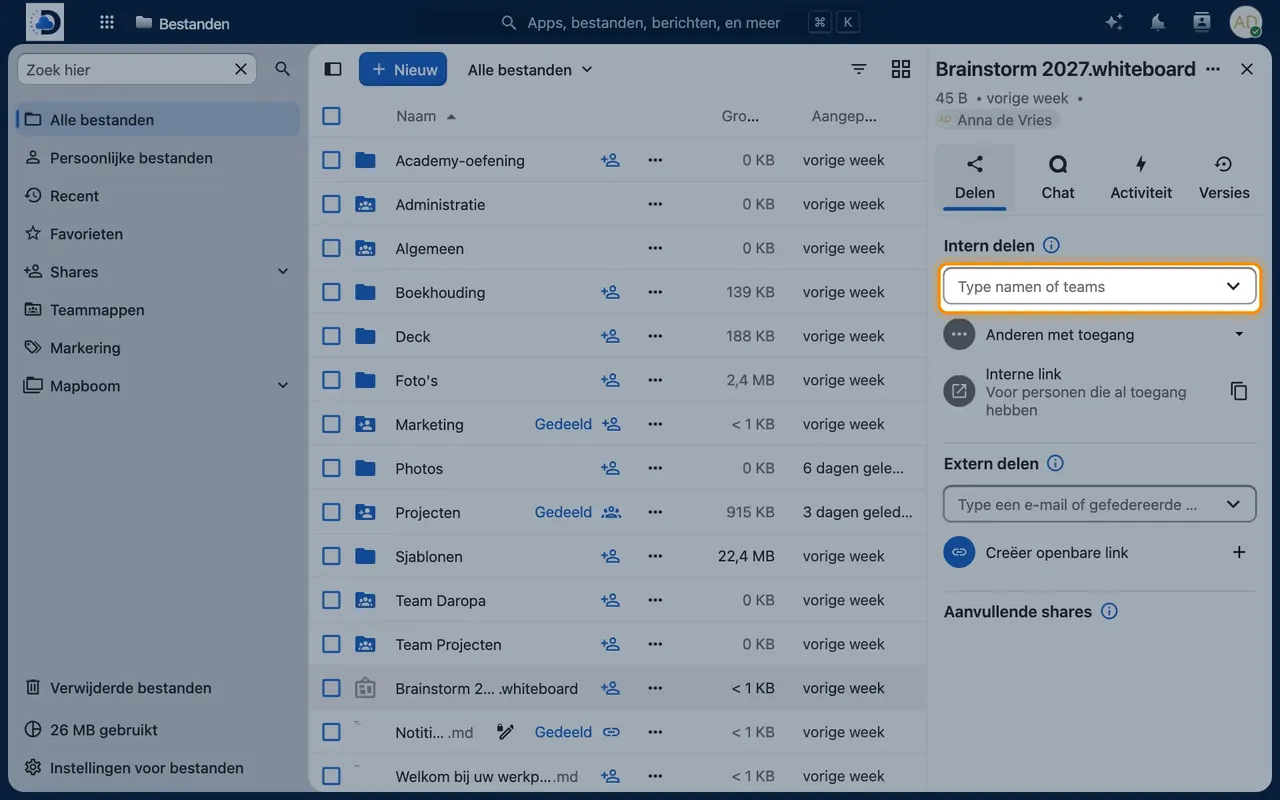
- Save in FilesEach whiteboard is a file that you can share like any other file.
- ExportExport the board as an image.
Getting started
- Create a whiteboardClick the plus icon in Files and select “New whiteboard”.
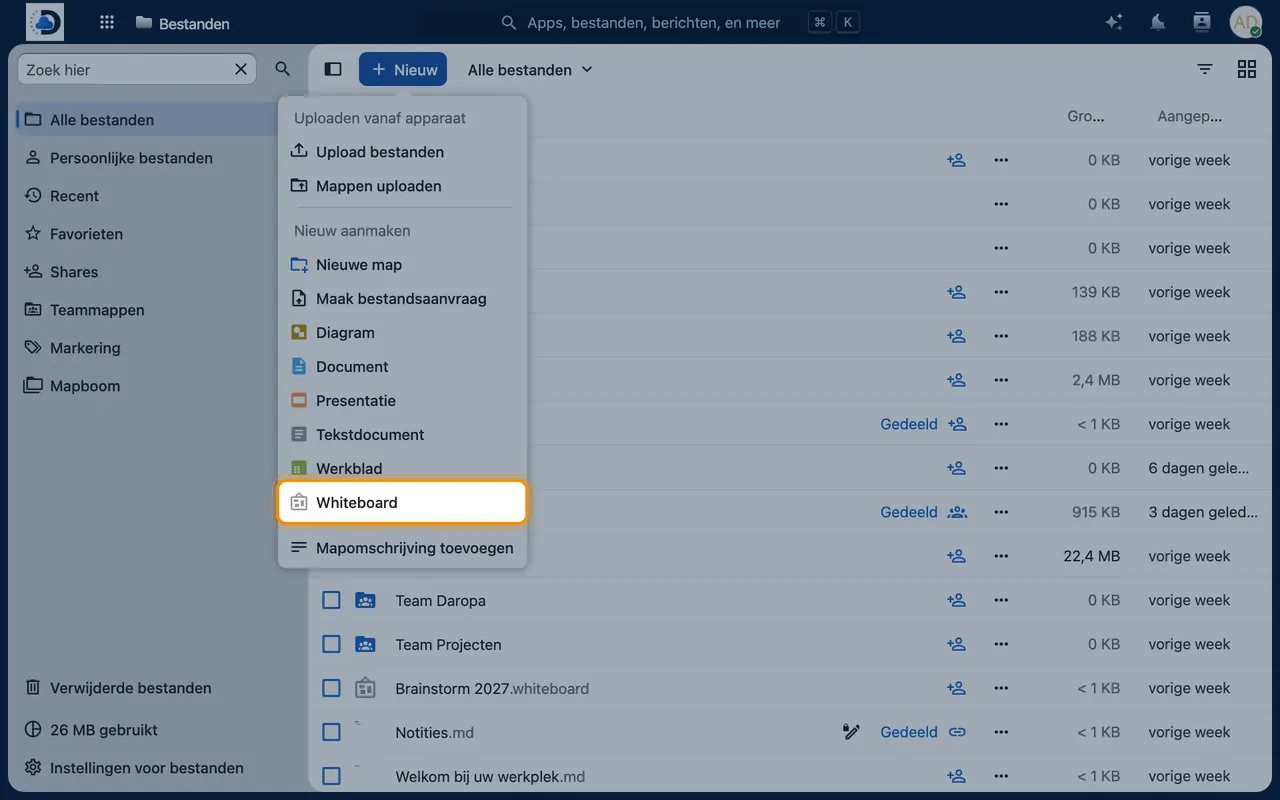
- Share the boardShare the file with colleagues so they can contribute.
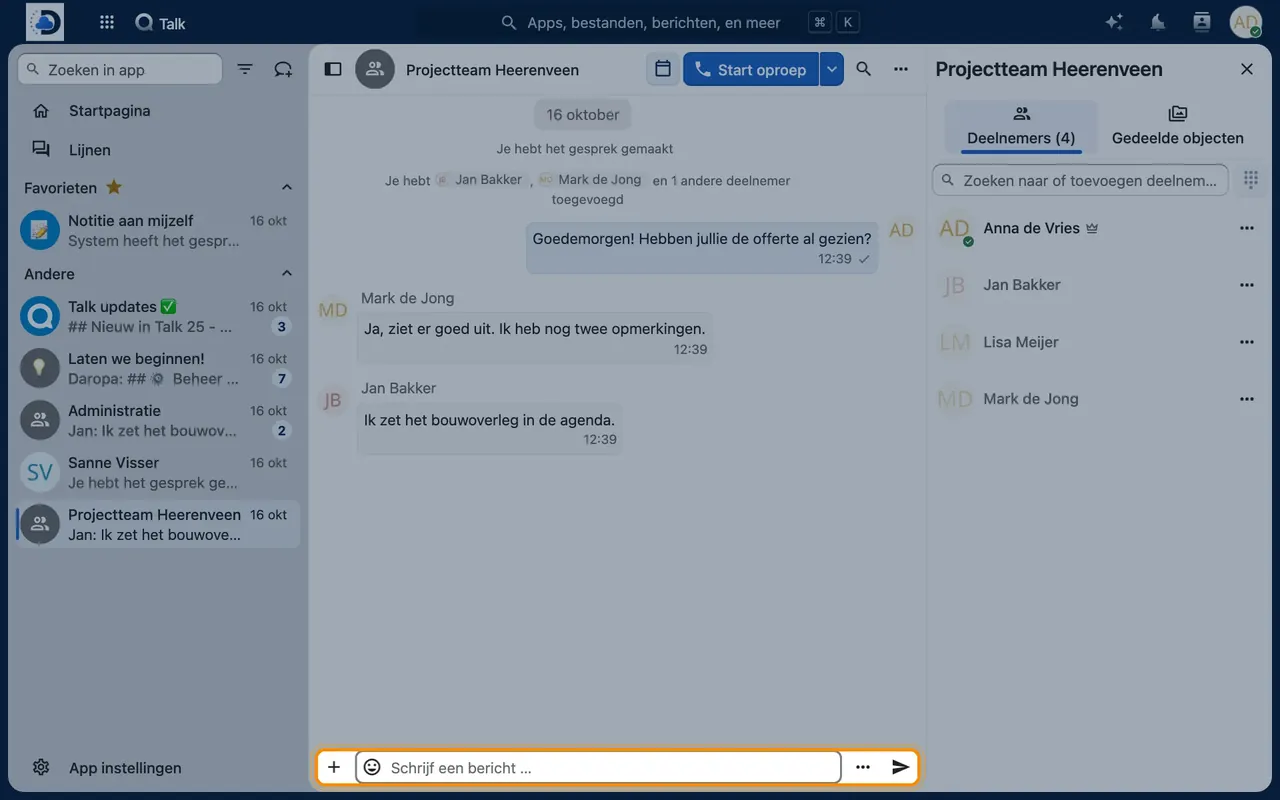
- Use it in a meetingOpen the whiteboard during a Talk call and share the link in the chat.
Tips
- Use a whiteboard to kick off a project: goals, risks, and tasks in one view.
Frequently asked questions
Does it work on a tablet?
Yes, in your tablet’s browser, even with a stylus.