Videos
 How it worksExplained step by step. For customers only.
What is Talk?
Talk is your chat and meeting environment, similar to Microsoft Teams or Zoom. You can chat one-to-one or in groups, make video calls, share your screen and invite external guests via a link. All conversations take place in your own environment.
What can you do with it?
- ChatOne-to-one and group conversations, with reactions, replies and file sharing.
- Video callsMeet with video and audio, directly in your browser or in the app.
- Screen sharingShare your screen or a window during a conversation.
- Invite guestsExternal participants can join via a link, without an account or installation.
- Breakout roomsSplit a large meeting into smaller groups.
- AppsApps for Windows, macOS, Linux, iOS and Android, with notifications for new messages.
Getting started
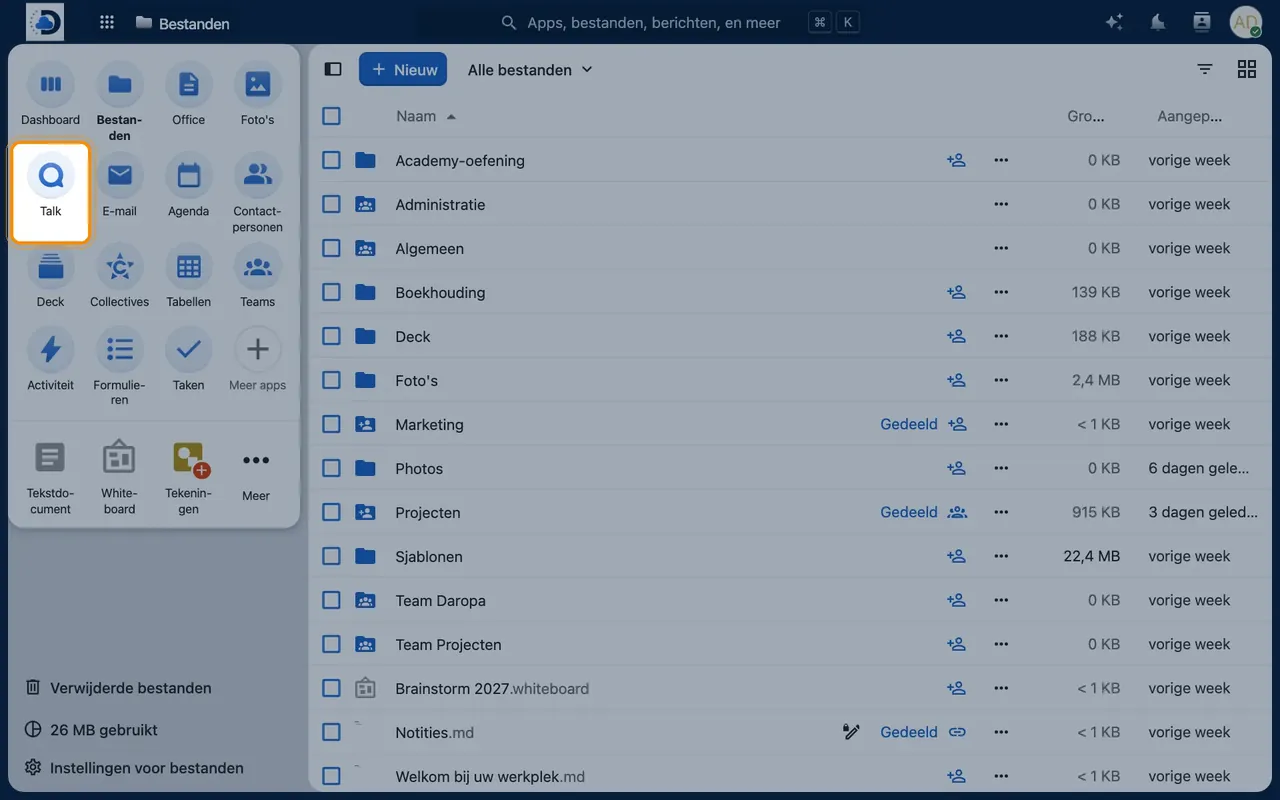
- Open TalkClick the Talk icon in the top bar.
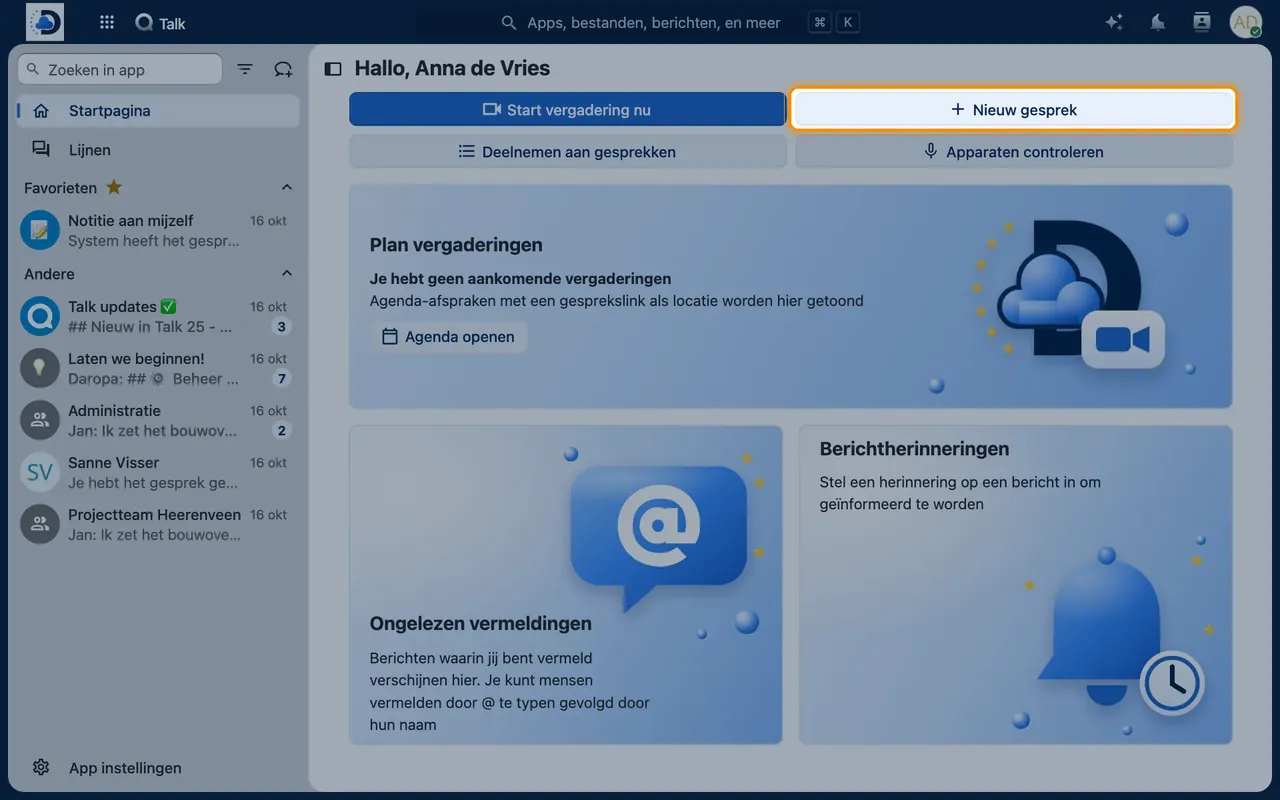
- Start a conversationClick the plus icon, select colleagues, and give the conversation a name.
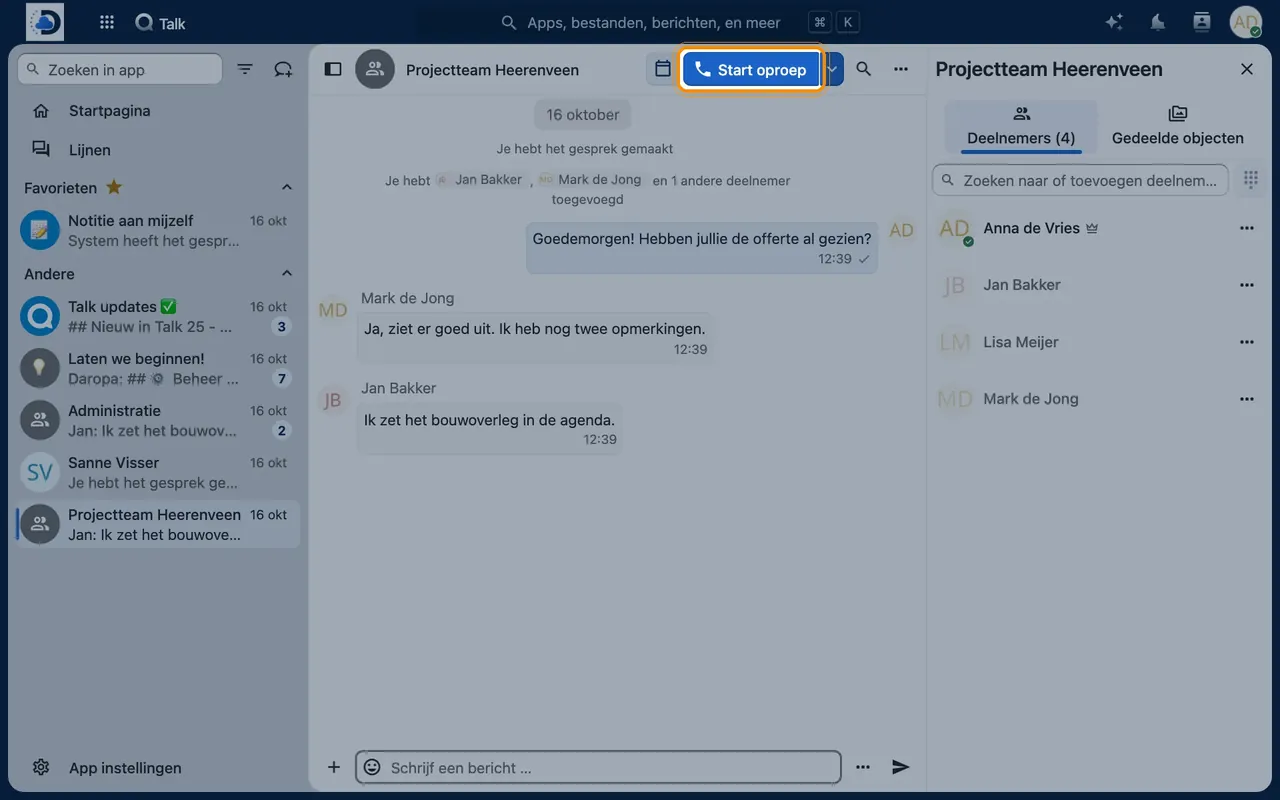
- Call with videoIn a conversation, click “Start call” and grant your browser access to your camera and microphone.
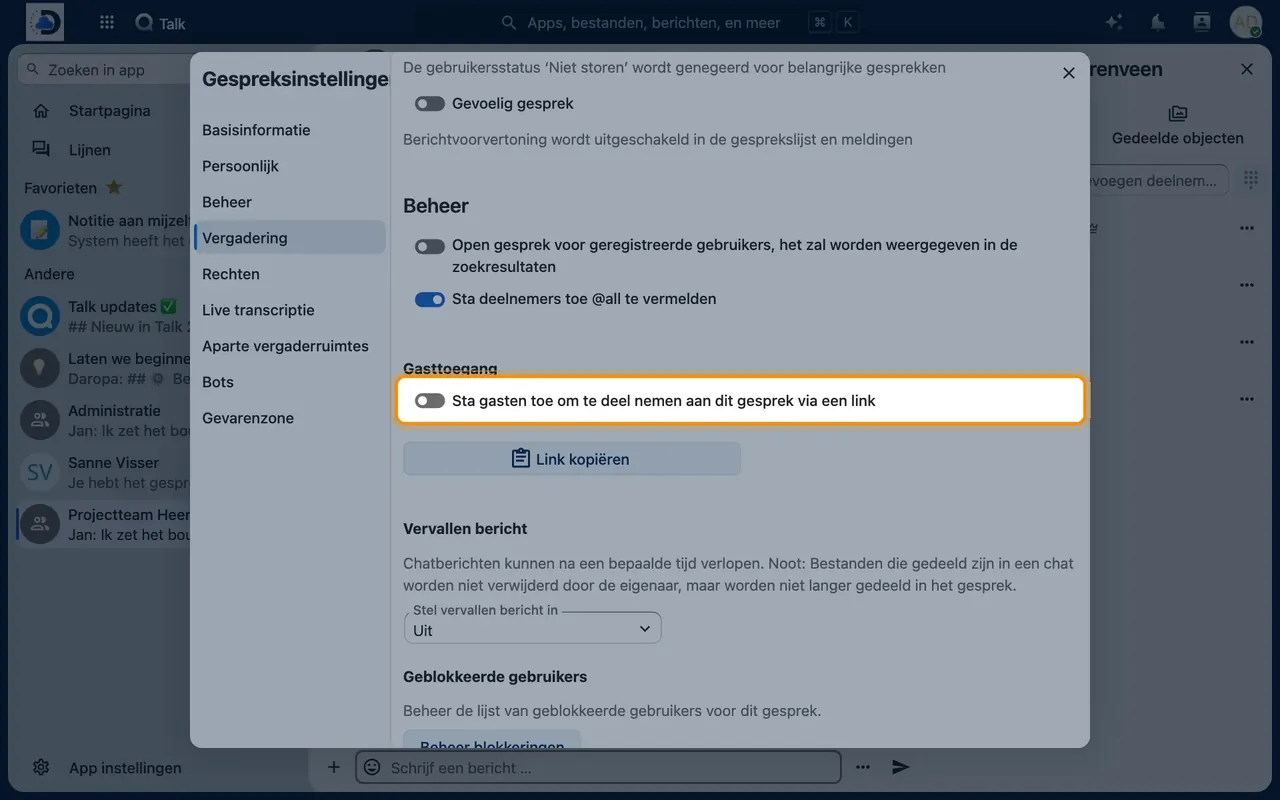
- Invite a guestIn the conversation settings, enable “Allow guests” and share the link.
Tips
- Create a permanent conversation for each project or department so all communication is kept together.
- Use a headset with a microphone for the best sound quality.
Frequently asked questions
How many people can I video call with?
For smaller meetings, it works directly. For large meetings or webinars, we allocate extra server capacity—just let us know.
Can customers join without an account?
Yes, via a guest link in the browser.