Videos
 How it worksExplained step by step. For customers only.
What is Deck?
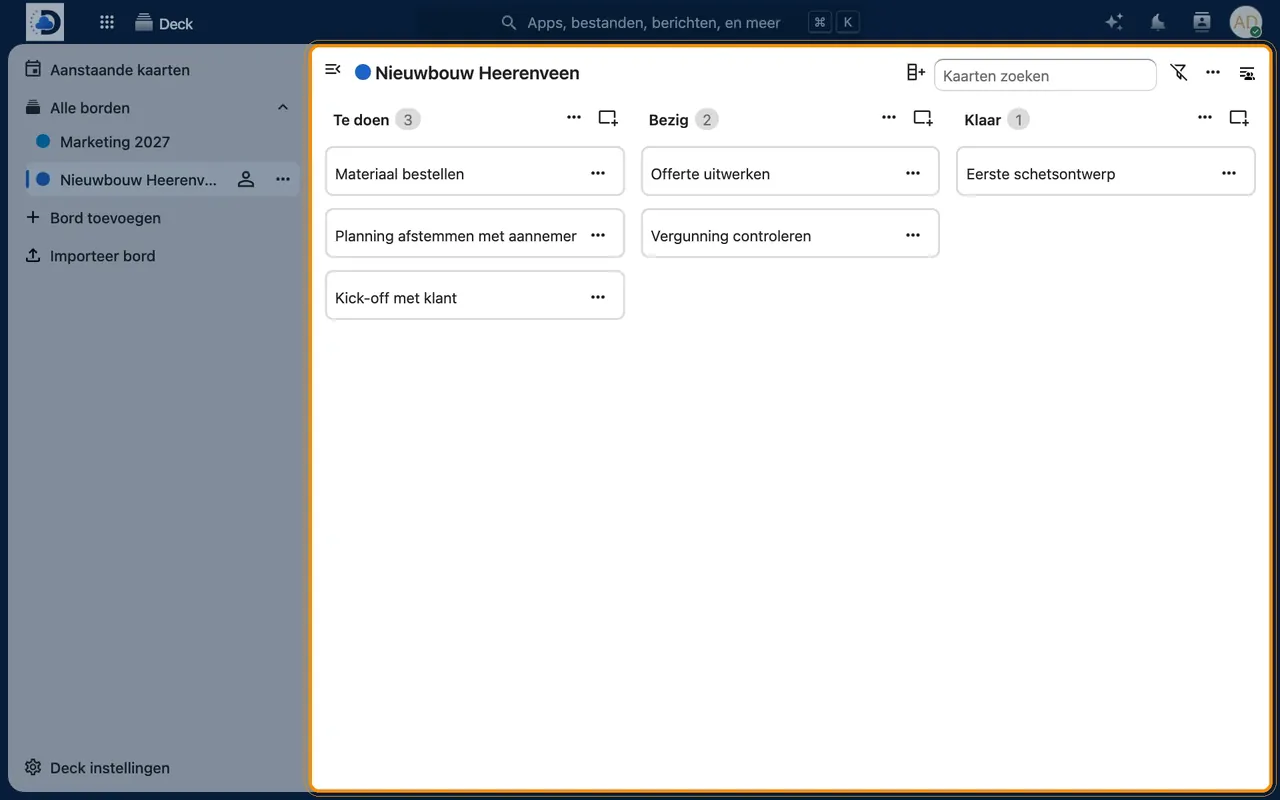
Deck is a kanban board, similar to Trello or Microsoft Planner. You place tasks as cards in columns such as “To do”, “In progress” and “Done”, assign them to colleagues, and see at a glance where a project stands.
What can you do with it?
- Boards and columnsCreate a board for each project with columns that match your way of working.
- CardsEach card has a description, deadline, labels, attachments and comments.
- AssigningAssign cards to colleagues so it’s clear who is doing what.
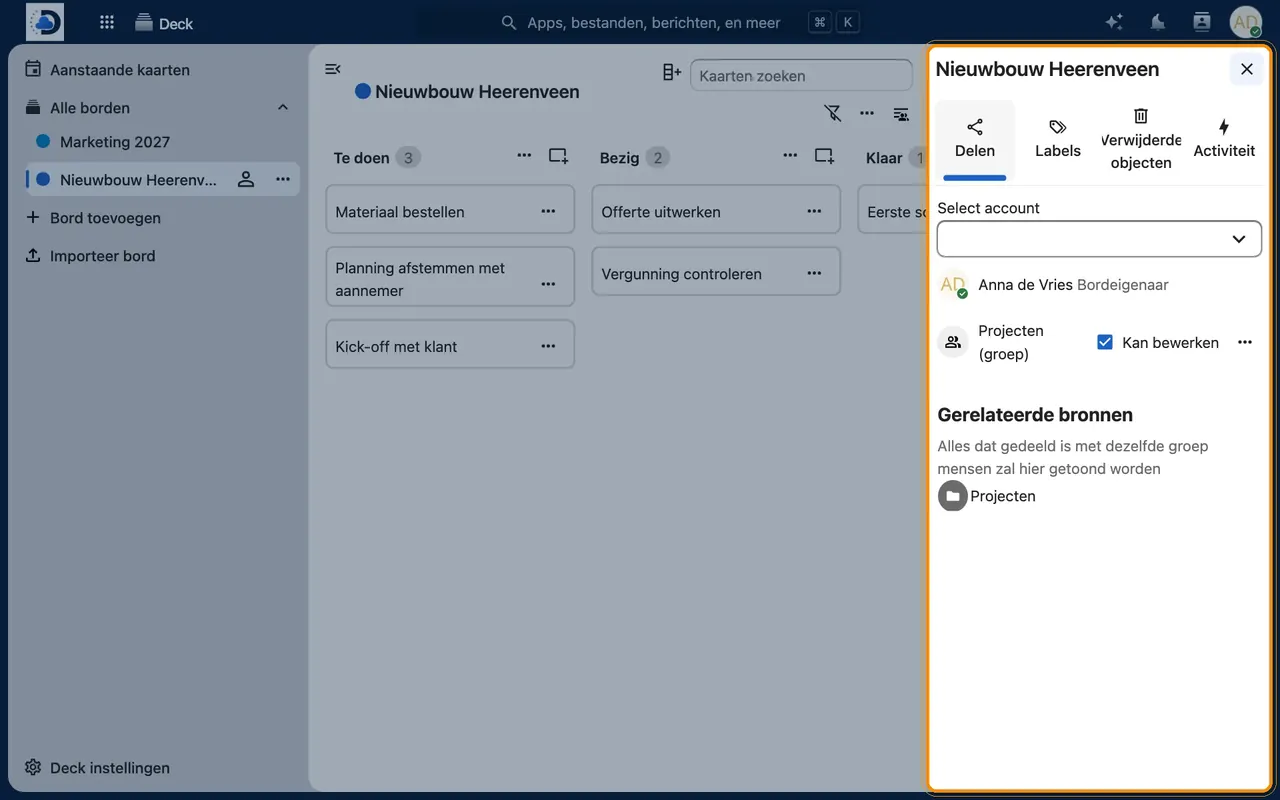
- Sharing with the teamShare a board with individuals or groups, with view or edit permissions.
- Integration with CalendarCards with a deadline appear in Calendar.
Getting started
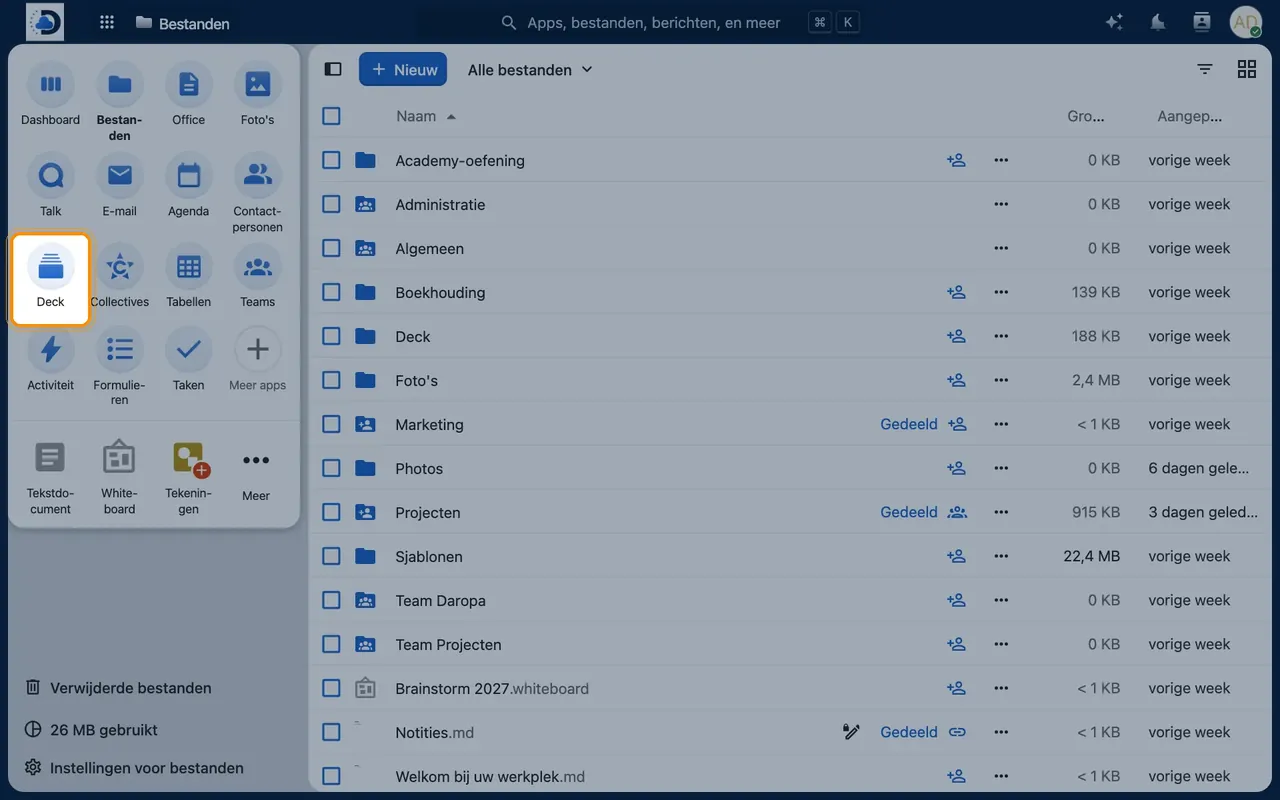
- Open DeckClick the Deck icon in the top bar.
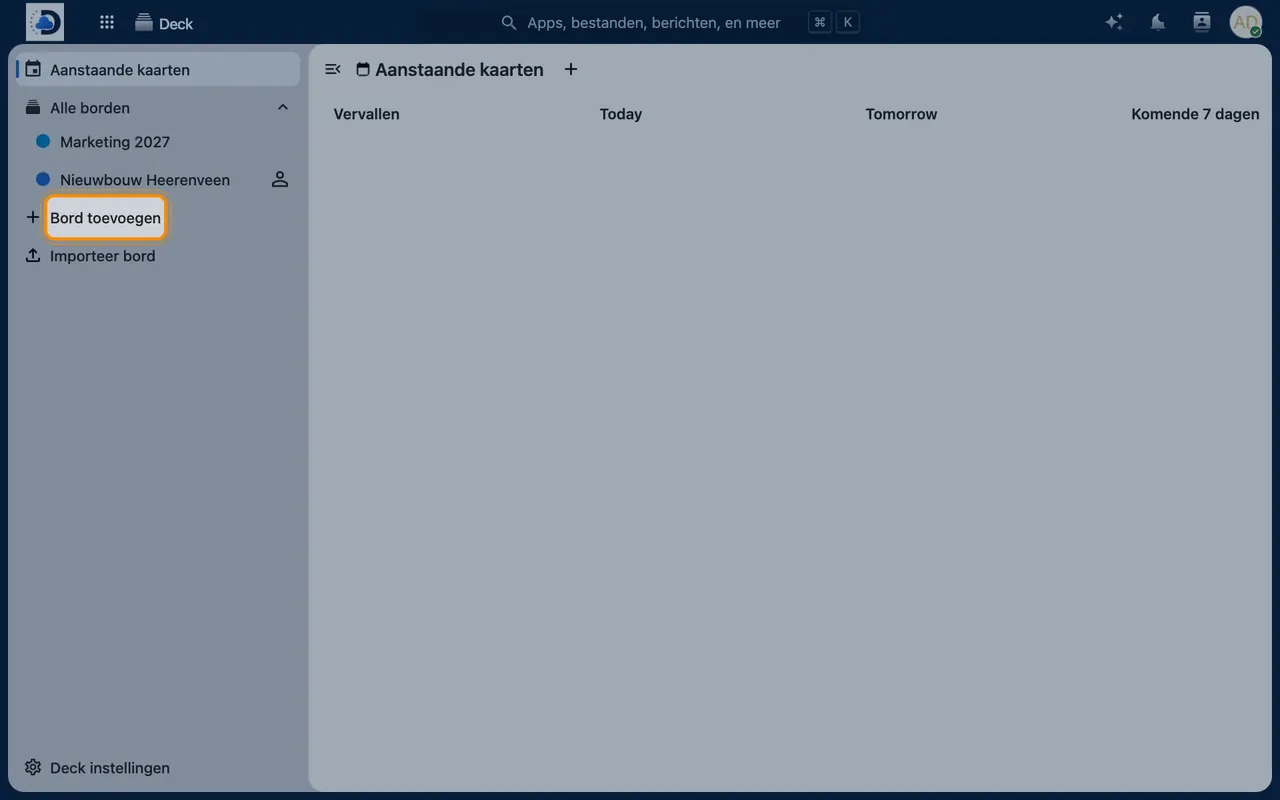
- Create a boardClick “Add board” and give it a name and colour.
- Add columns and cardsCreate columns such as “To do”, “In progress” and “Done” and add cards.
- Share the boardOpen the board’s sidebar and add colleagues or a group.
Tips
- Use labels for priority or type of work, and filter the board by them.
- Create a fixed board for recurring processes, such as onboarding new employees.
Frequently asked questions
Can I transfer boards from Trello?
Yes, Trello boards can be imported. Contact us and we’ll help you.
Is there an app?
Yes, there are apps for iOS and Android.