Videos
 How it worksExplained step by step. For customers only.
What is Mail?
Mail is your email programme in the workplace, linked to Contacts and Calendar. You read and send emails in the browser, and you can also use the same mailbox in Outlook, Apple Mail, Thunderbird or on your phone.
What can you do with it?
- Your own domainEmail addresses on your own domain, such as name@yourcompany.co.uk, or on a domain assigned by us.
- Priority inboxImportant emails appear at the top, with the rest below.
- ConversationsMessages in the same conversation are grouped clearly.
- Link to calendarYou can add invitations from an email to your calendar with one click.
- Save attachmentsSave attachments directly in Files, or send large files as a shareable link.
- Any email programmeVia IMAP and SMTP, your mailbox also works in Outlook, Apple Mail, Thunderbird and the mail app on your phone.
Getting started
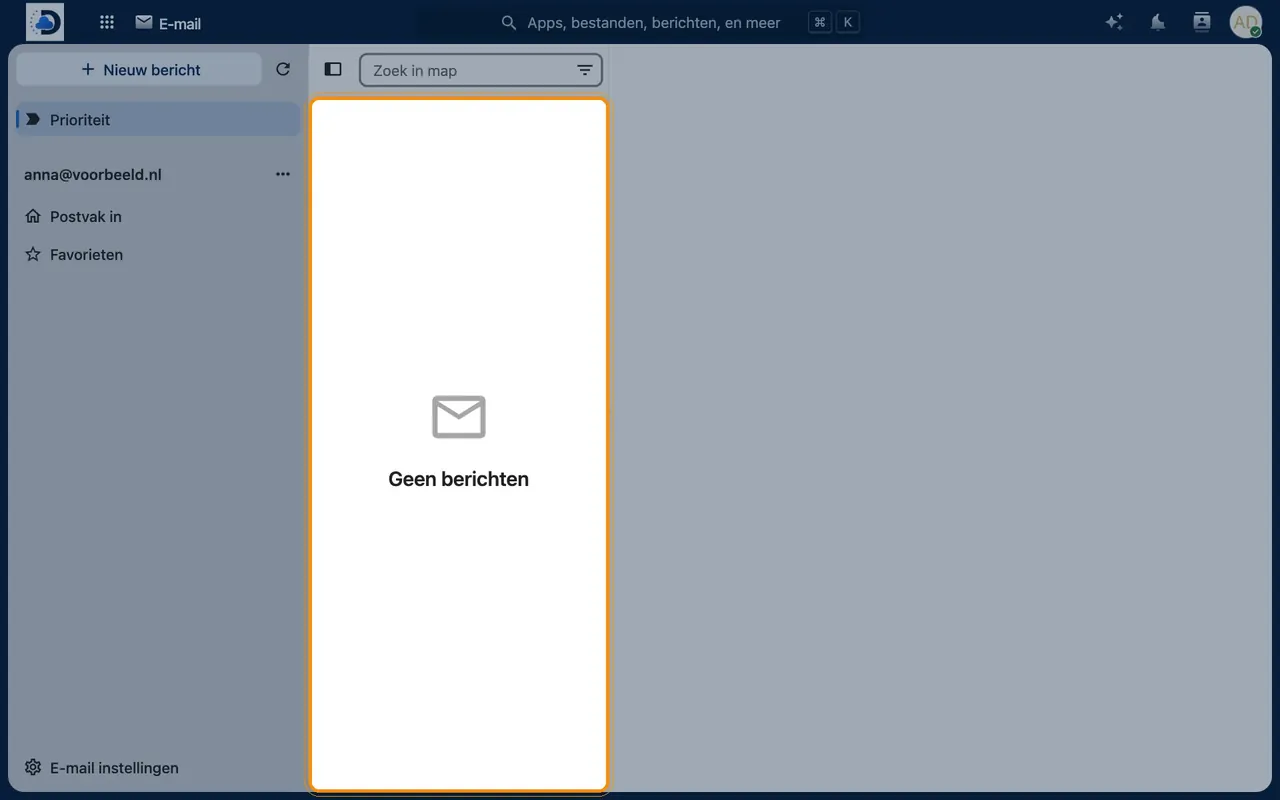
- Open MailClick the mail icon in the top bar. Your mailbox has already been set up for you.
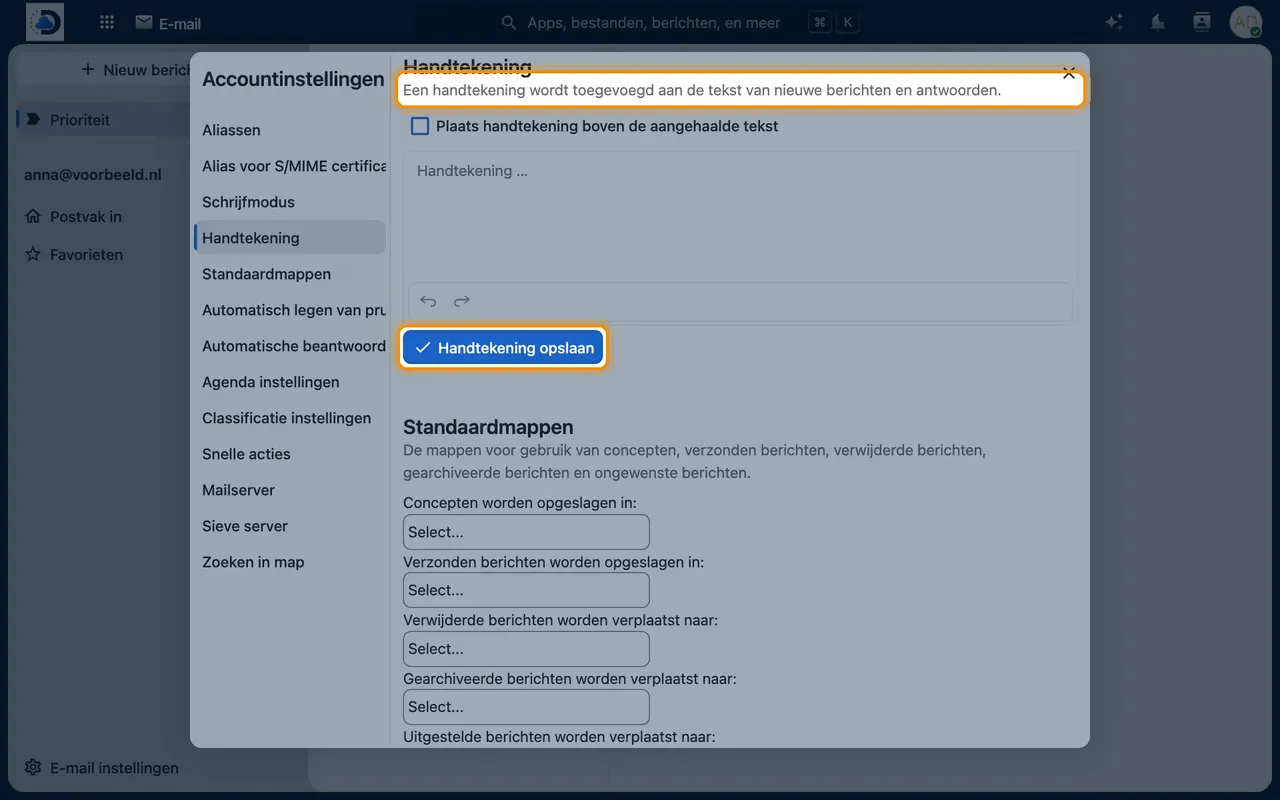
- Set up a signatureIn Mail, go to Account settings > Signature.
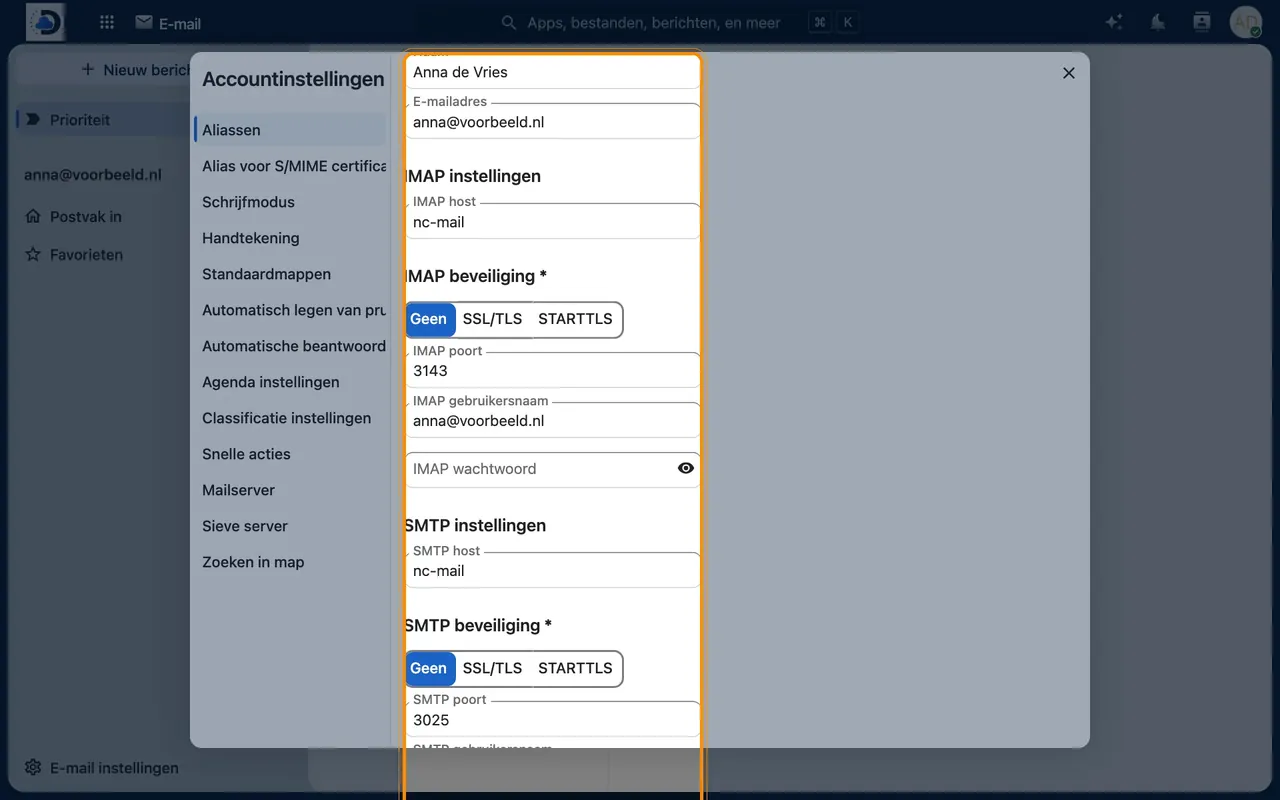
- Link your phone or OutlookAdd a new account using the IMAP and SMTP details you receive from us.
Tips
- Drag an attachment to Files to save it directly to the correct dossier.
- Set up an out-of-office reply via Account settings > Absence.
Frequently asked questions
Can my existing email be migrated?
Yes. When you switch, we will migrate your mailboxes, folders and messages for you.
Will my email address stay the same?
Yes. You keep your own domain name and email addresses.
What about spam and viruses?
Incoming mail is filtered for spam and viruses before it reaches your mailbox.