Videos
 How it worksExplained step by step. For customers only.
What is Office?
Office lets you open and edit Word, Excel and PowerPoint files directly in your browser, even with multiple people at the same time. You don’t need to install Microsoft Office, and the files stay in your own environment.
What can you do with it?
- Microsoft formatsWorks with .docx, .xlsx and .pptx, and with open formats such as .odt and .ods.
- Collaborative editingWork on a document at the same time and see live who is making changes.
- Comments and track changesAdd comments and track changes, just like in Word.
- Export to PDFSave a document as a PDF with one click.
- TemplatesUse templates in your corporate identity for letters, quotes and presentations.
Getting started
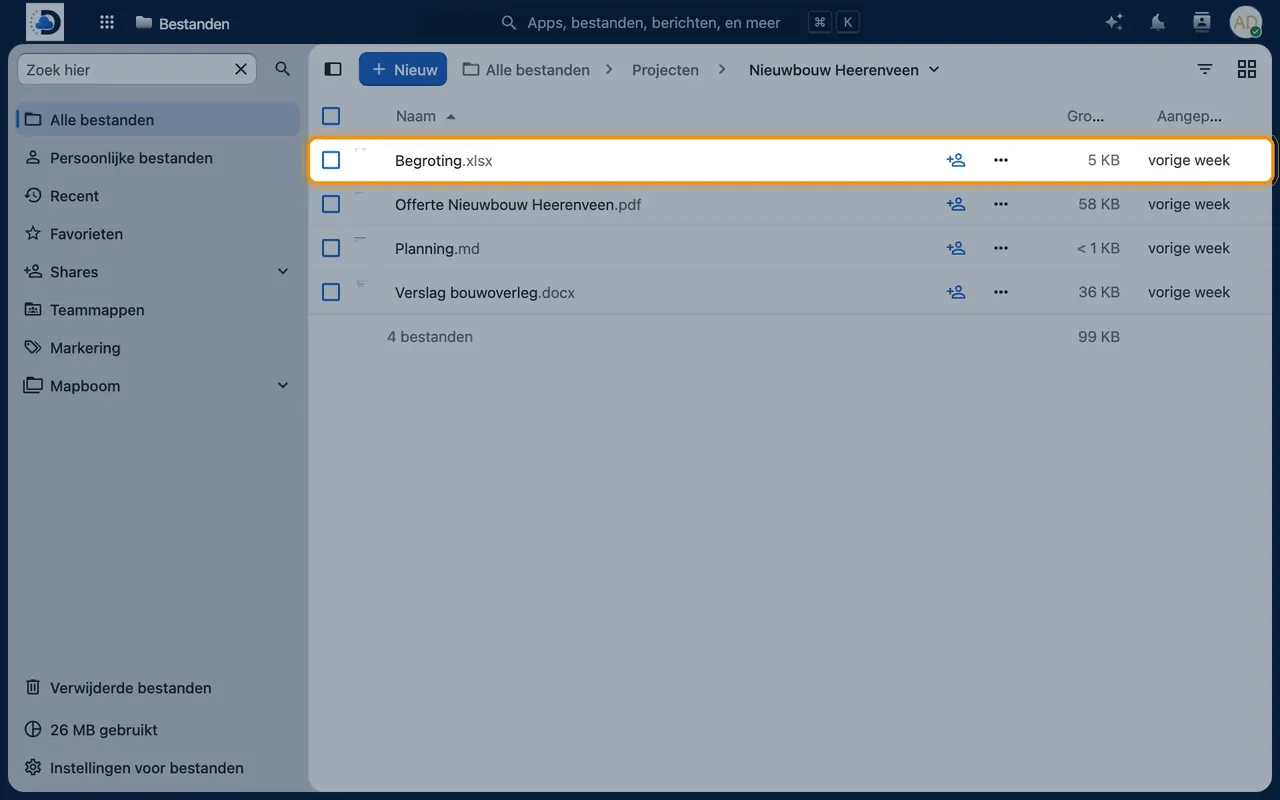
- Open a documentIn Files, click on a Word, Excel or PowerPoint file. It opens directly in your browser.
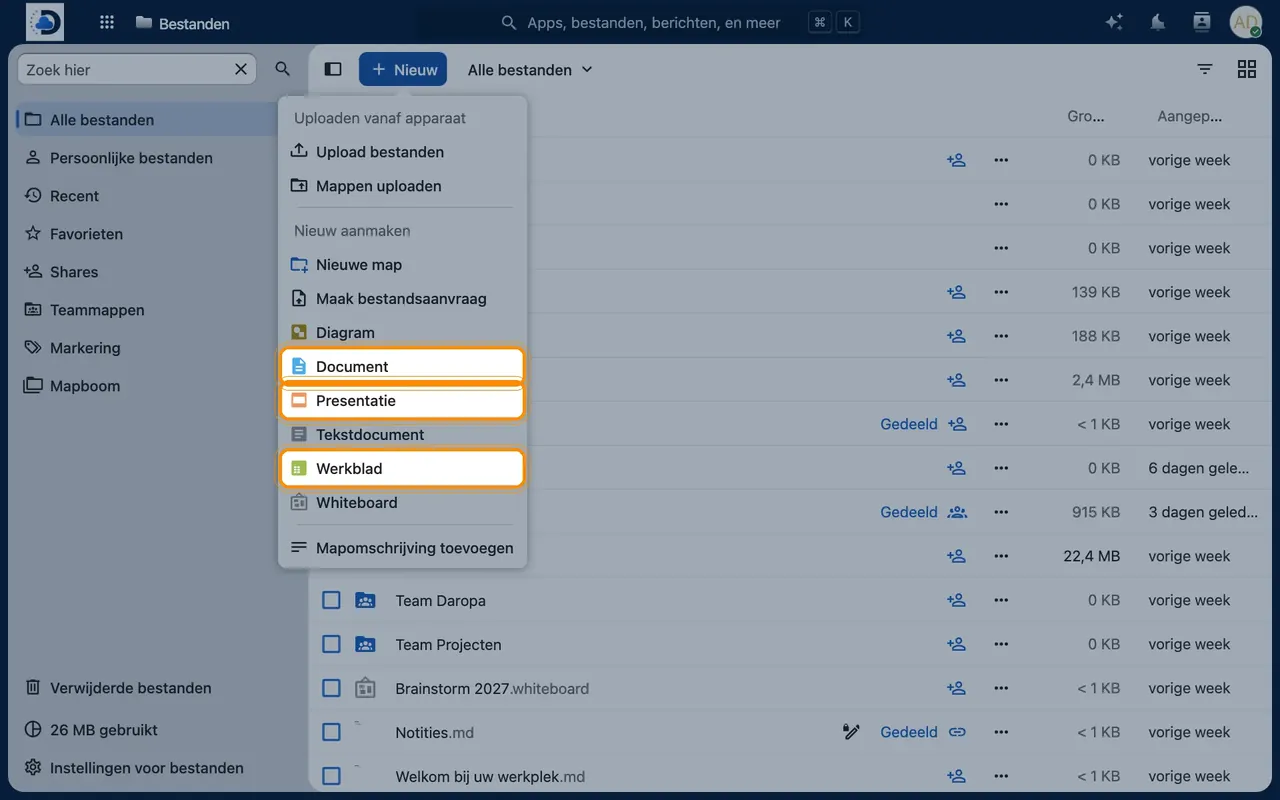
- Create a new documentIn Files, click the plus icon and choose New document, New spreadsheet or New presentation.
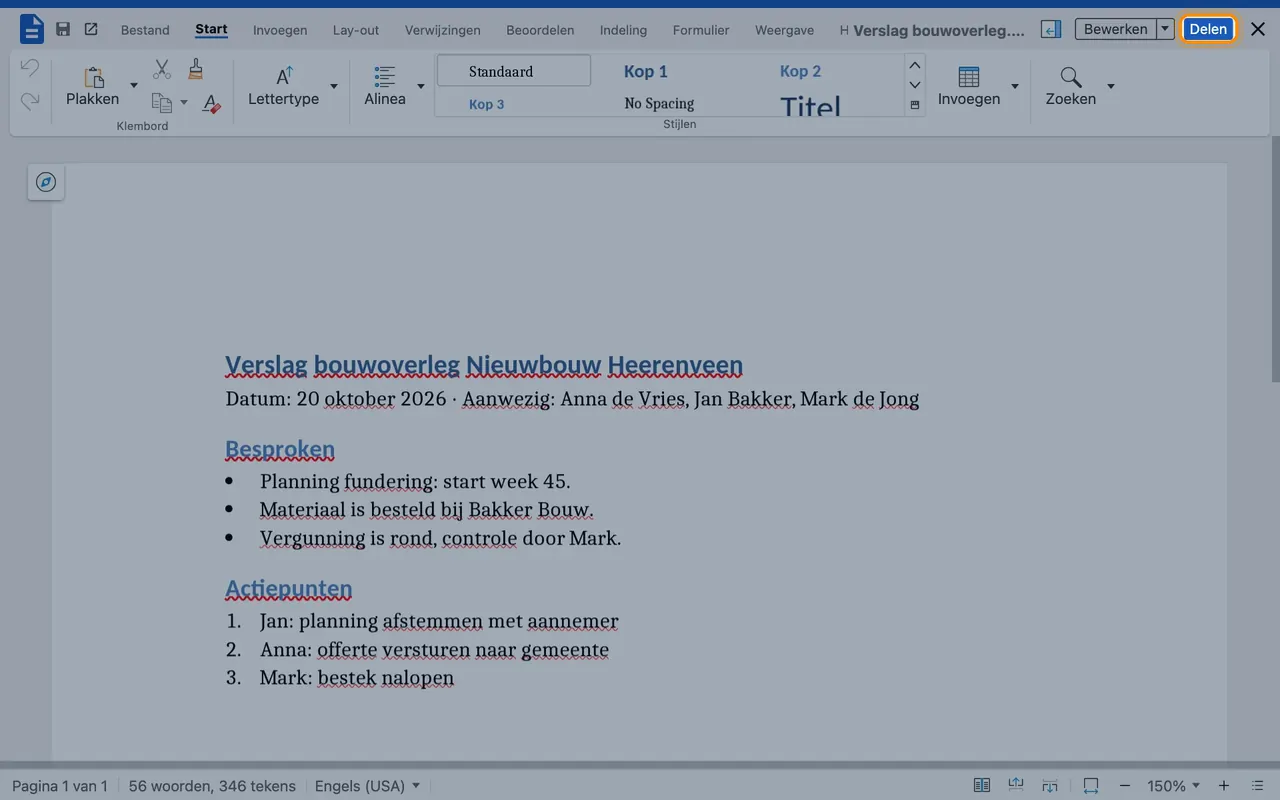
- Work togetherShare the file with editing rights. Colleagues who open it will work with you directly.
Tips
- Do you prefer to work in your own Word or Excel? That’s also possible: open the file via the desktop app.
- Let us set up your corporate identity templates, so they are ready for everyone to use.
Frequently asked questions
Will my existing Office files work properly?
Yes, for the most part. Complex macros (VBA) are not always fully supported; we will map this out with you in advance.
Do I need to install anything?
No. Office works in the browser.