Videos
 How it worksExplained step by step. For customers only.
What is Tasks?
Tasks is your to-do list. You can create lists for work, projects, or home, set deadlines and priorities, and share lists with others. Tasks also appear in your calendar and on your phone.
What can you do with it?
- Multiple listsFor example, a list per project, per client, or for home.
- Deadlines and remindersSet a due date for tasks and get reminded on time.
- SubtasksBreak large tasks into smaller steps.
- Priority and progressIndicate what’s most important and how far along a task is.
- Shared listsShare a task list with colleagues or family members.
Getting started
- Open TasksClick the Tasks icon in the top bar.
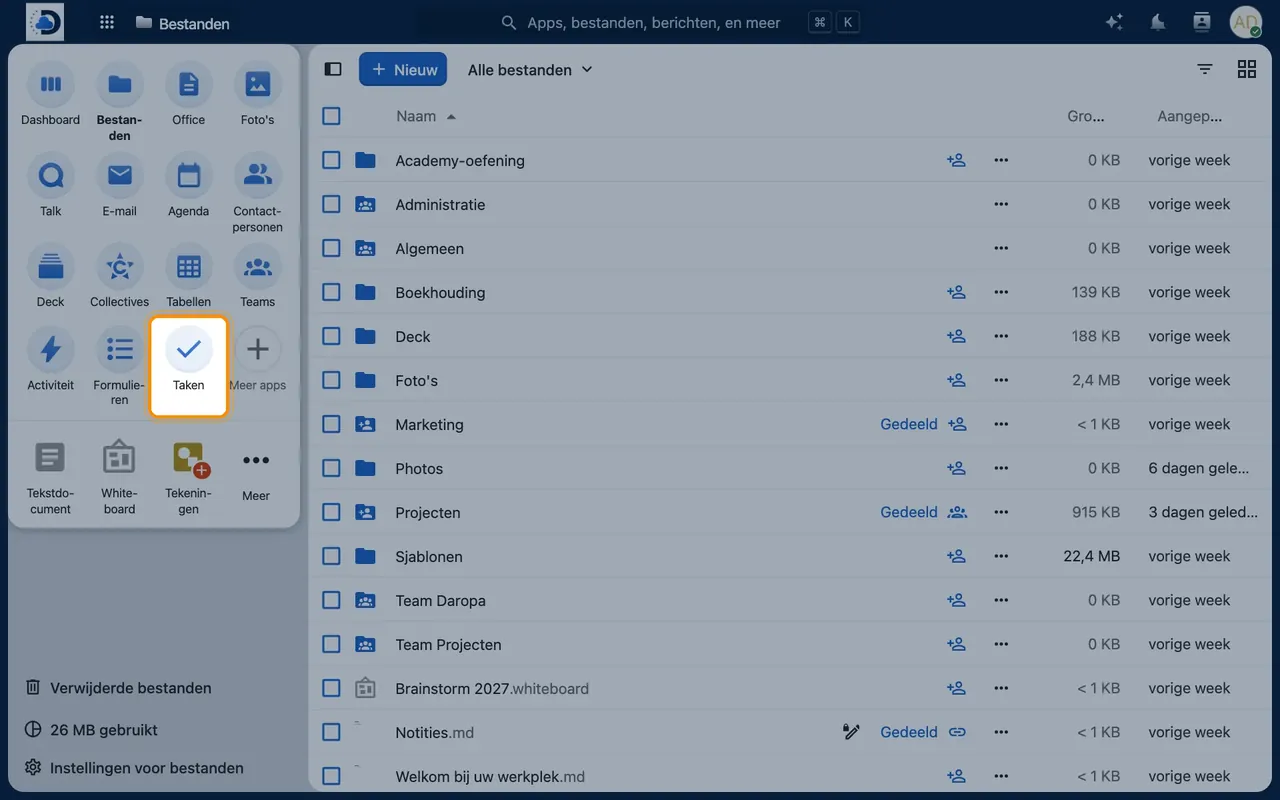
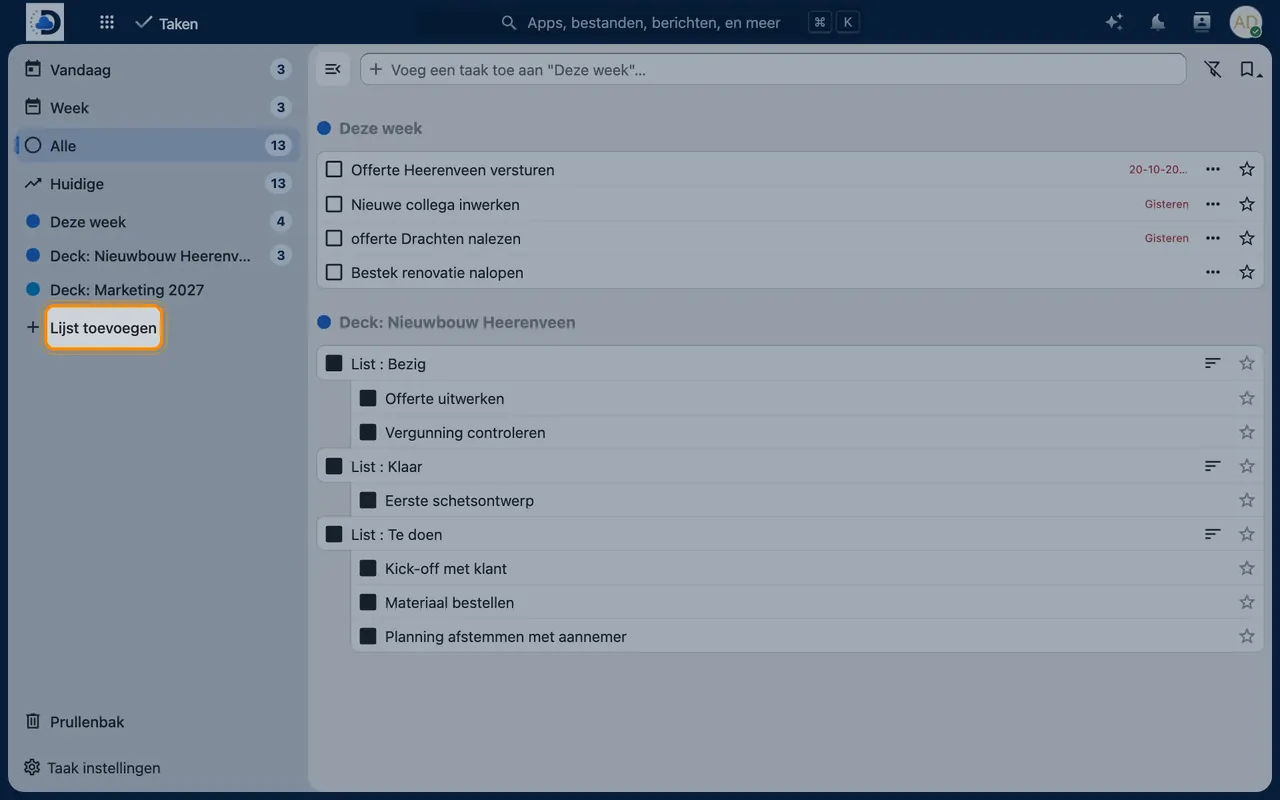
- Create a listClick “Add list” on the left and give it a name.
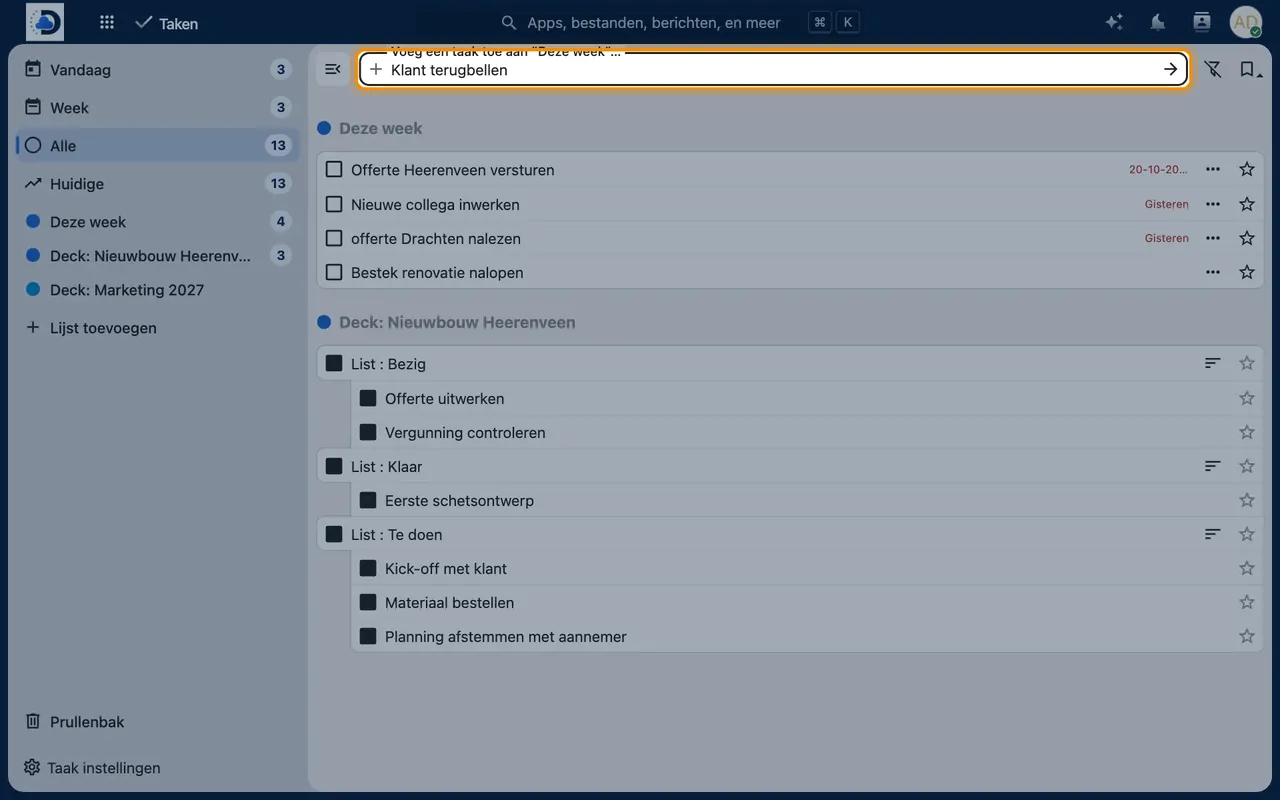
- Add tasksType a task in the input field and press Enter. Click on a task to add a deadline or subtasks.
- Sync with your phoneOn iPhone, tasks appear in Reminders via the CalDAV account. On Android, use Tasks.org with DAVx⁵, for example.
Tips
- You’ll also see tasks with a deadline in Calendar, so you have everything in one overview.
- Do you prefer working with boards and cards? Then take a look at the Deck module.
Frequently asked questions
What’s the difference between Tasks and Deck?
Tasks is a simple to-do list for individuals or teams. Deck is a kanban board for projects with columns, cards, and assignments.
Can I transfer tasks from Microsoft To Do?
Not automatic. For small lists you can quickly recreate them; for larger amounts we’ll work with you to find a solution.