Videos
 How it worksExplained step by step. For customers only.
What is Activity?
Activity keeps track of what happens with your files, calendars and shared folders. This way, you can quickly see who has edited a document, shared a folder with you or deleted something.
What can you do with it?
- Overview of changesA timeline of all actions on files and folders you have access to.
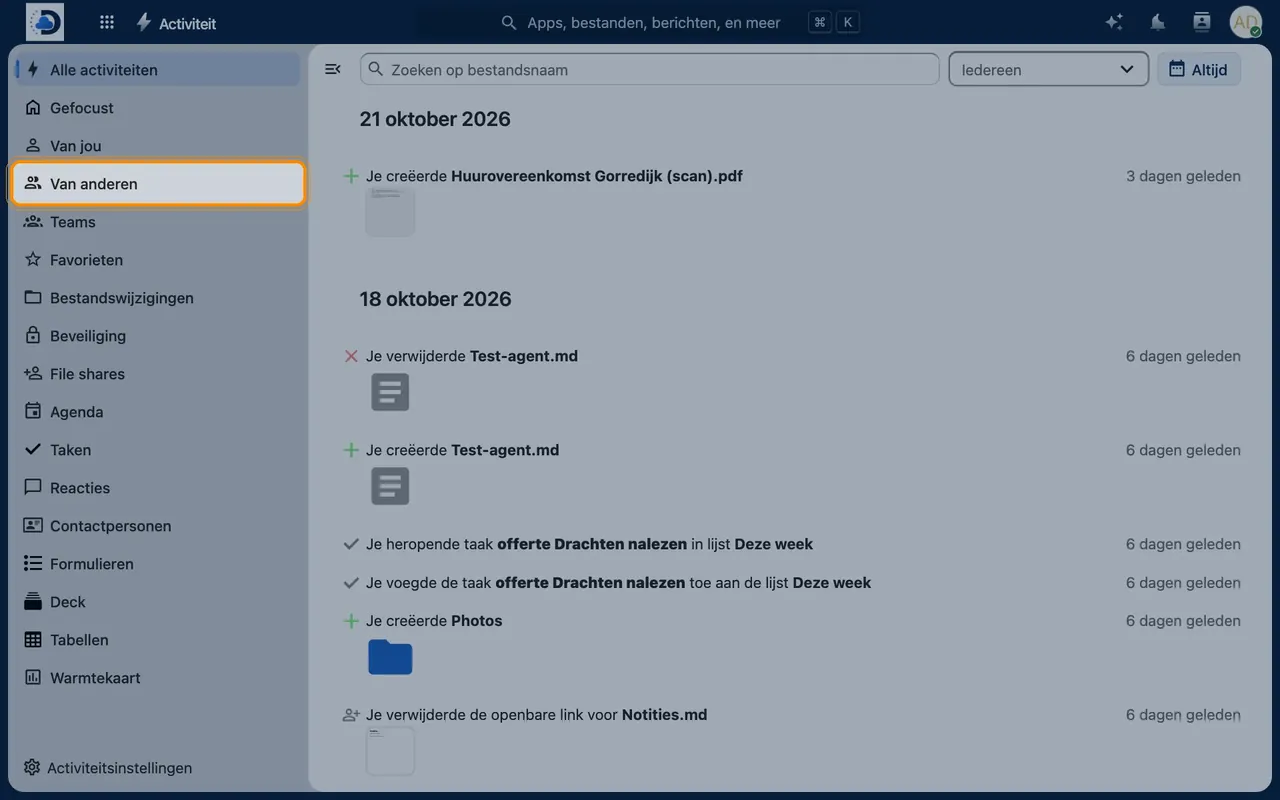
- FilteringView only your own actions, those of others, only shared items or only favourites.
- Per fileIn the sidebar of each file, you can see the history of that single file.
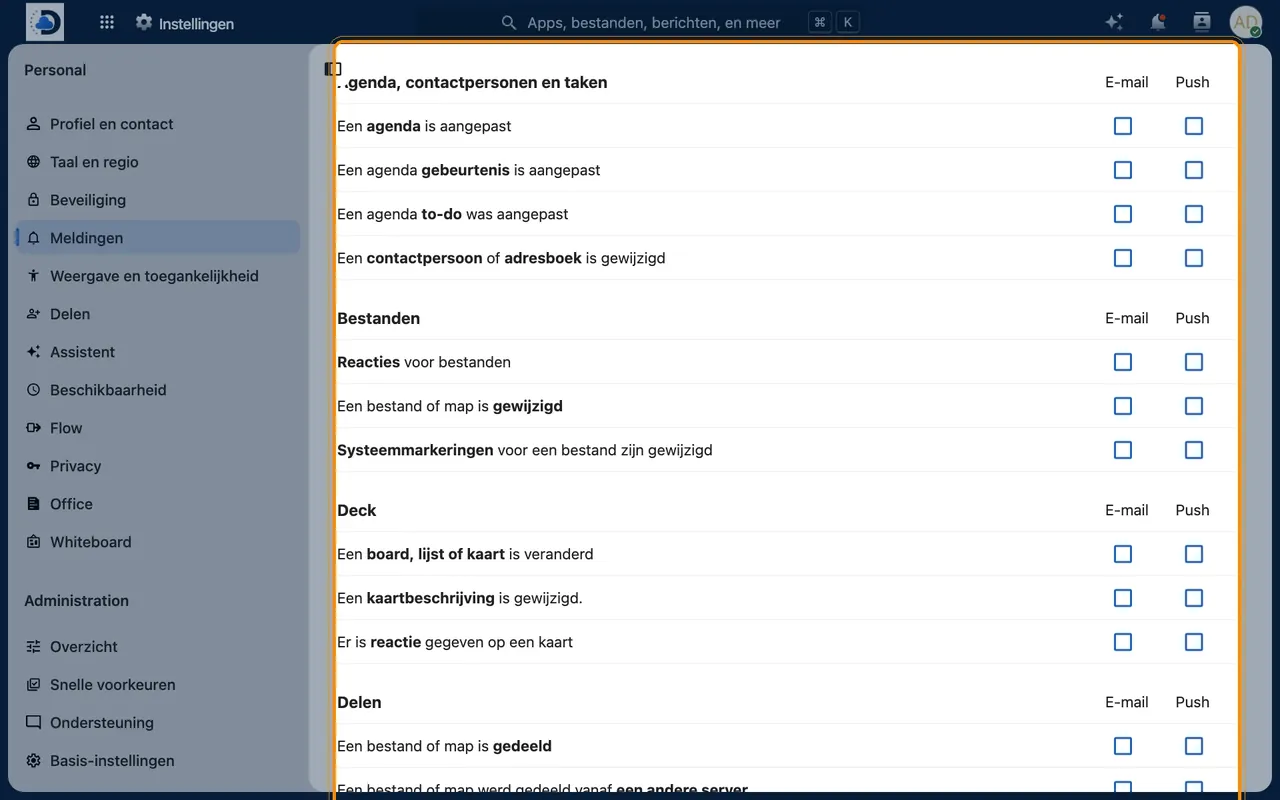
- Email notificationsReceive a daily or weekly summary in your inbox if you wish.
Getting started
- Open ActivityClick the lightning icon in the top bar.
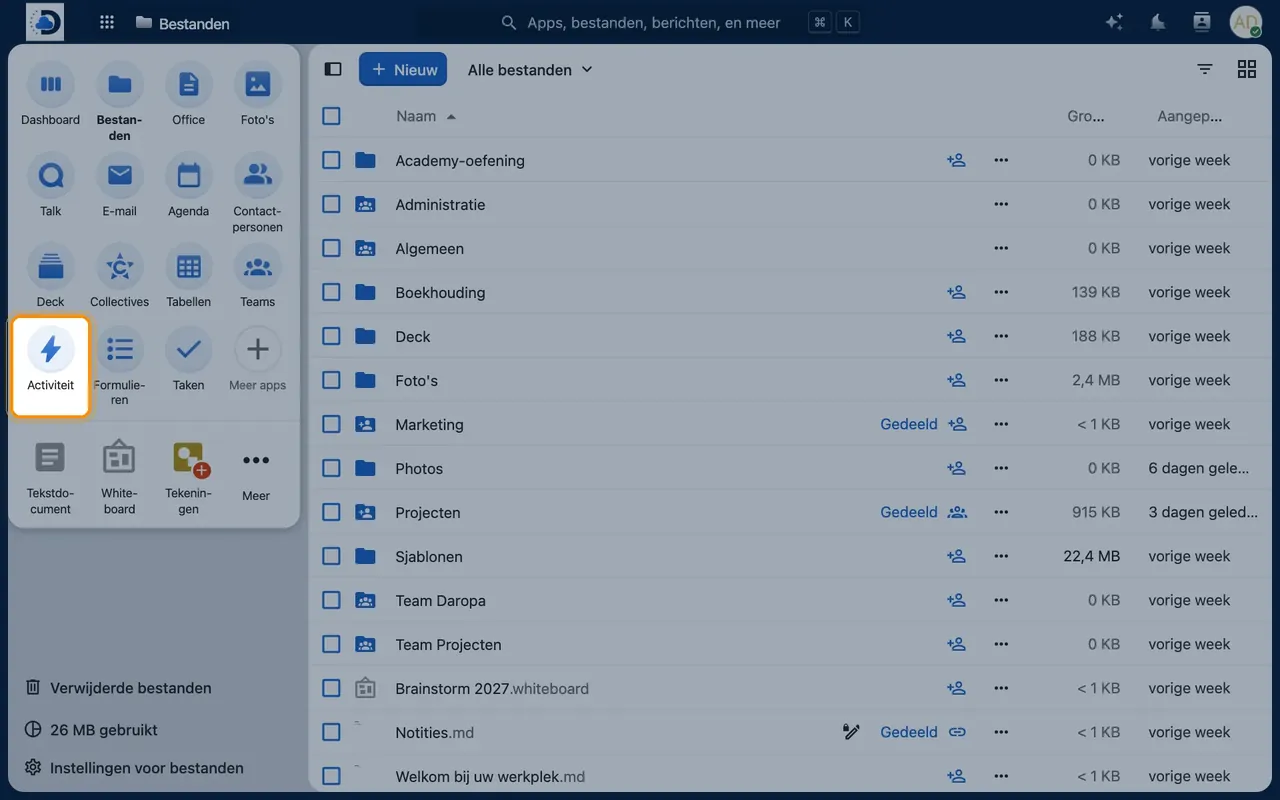
- Filter the listChoose a filter on the left, for example “By others” or “Favourites”.
- Set up notificationsGo to Settings > Notifications via your profile picture and choose what you want to be notified about by alert or email.
Tips
- Turn on notifications for “A file or folder has been shared with you” so you don’t miss anything.
- Use the activity list in the sidebar of a file if you want to know who last edited it.
Frequently asked questions
Does the administrator see my activities?
Activity only shows actions on files you have access to. For extensive audit logging within organisations, we make separate arrangements.
How long is the history kept?
By default, one year. We can adjust this on request.