Videos
 How it worksExplained step by step. For customers only.
What is Tables?
Tables helps you keep track of structured data, such as a customer list, inventory, leave registration or list of requests. It’s simpler than a spreadsheet and better suited for use by multiple people at the same time.
What can you do with it?
- Column typesText, numbers, dates, checkboxes, dropdown lists, links and more.
- ViewsCreate filtered and sorted views, such as “Pending” or “This month”.
- CollaborateShare a table with colleagues and decide who can read, add or edit.
- ImportImport existing data from a CSV or Excel file.
- TemplatesGet started quickly with a template, such as for a to-do list or customer list.
Getting started
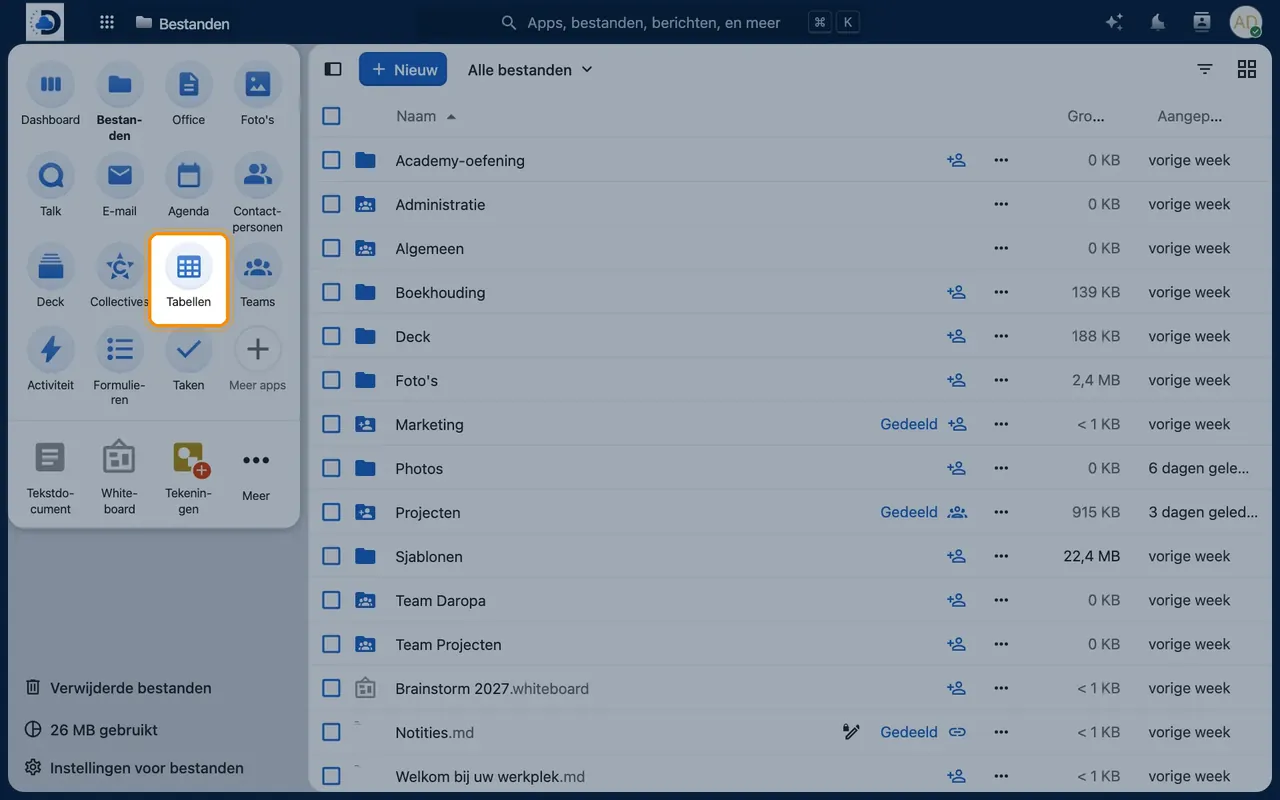
- Open TablesClick the Tables icon in the top bar.
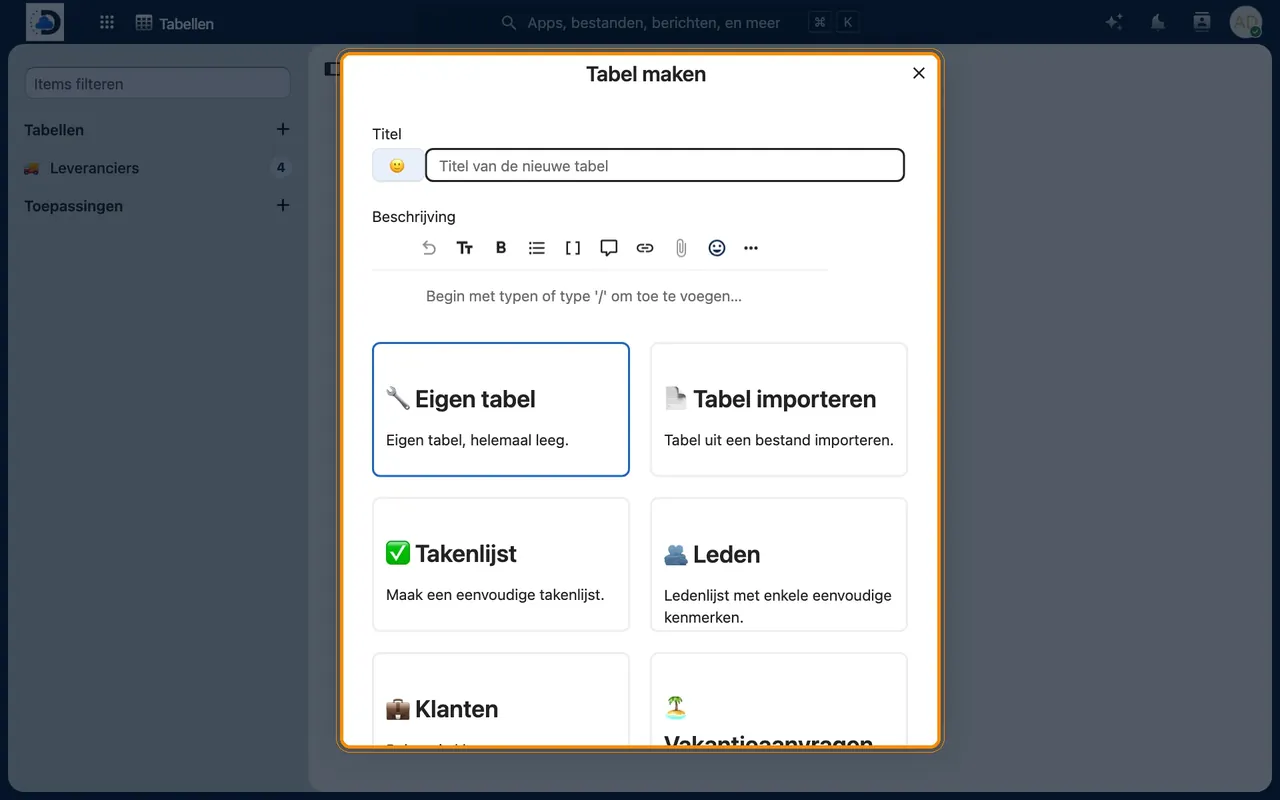
- Create a tableChoose “New table”, start blank, use a template or import a file.
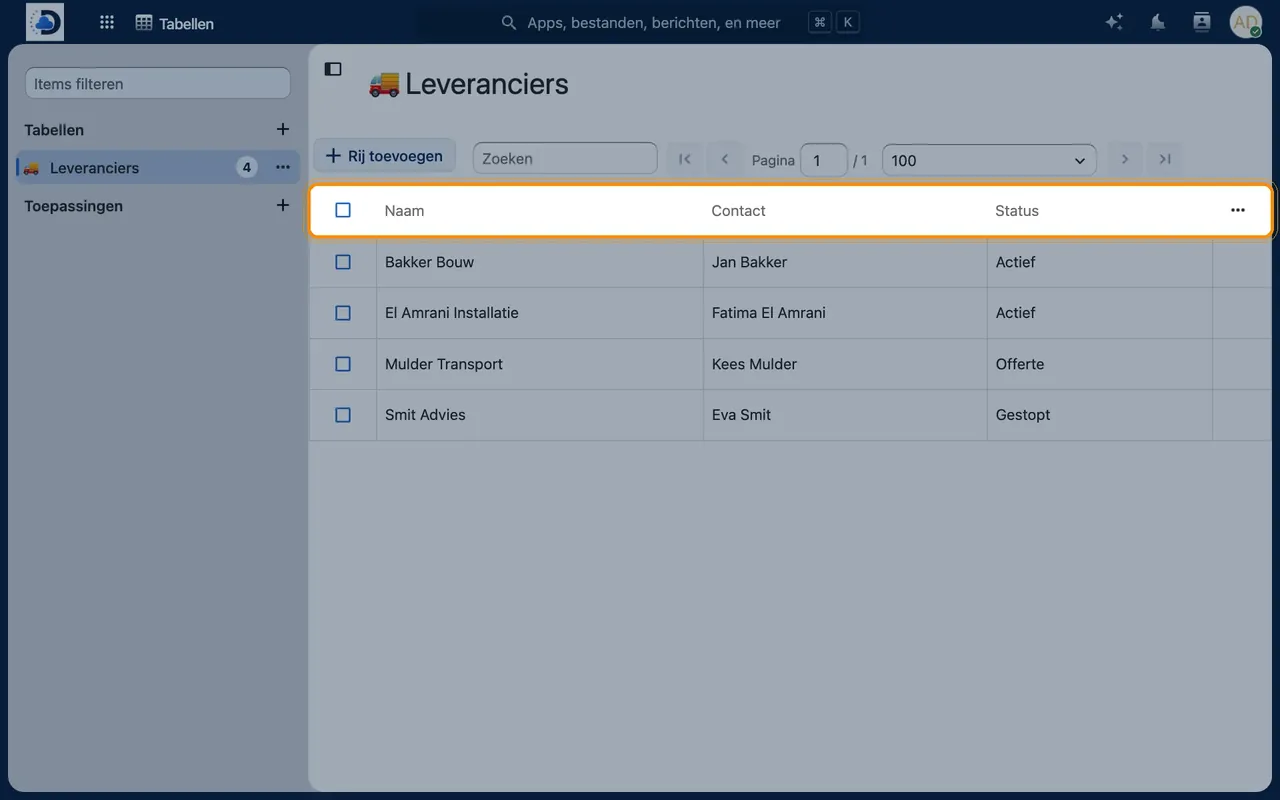
- Add columnsSet the type for each column, such as date or dropdown list.
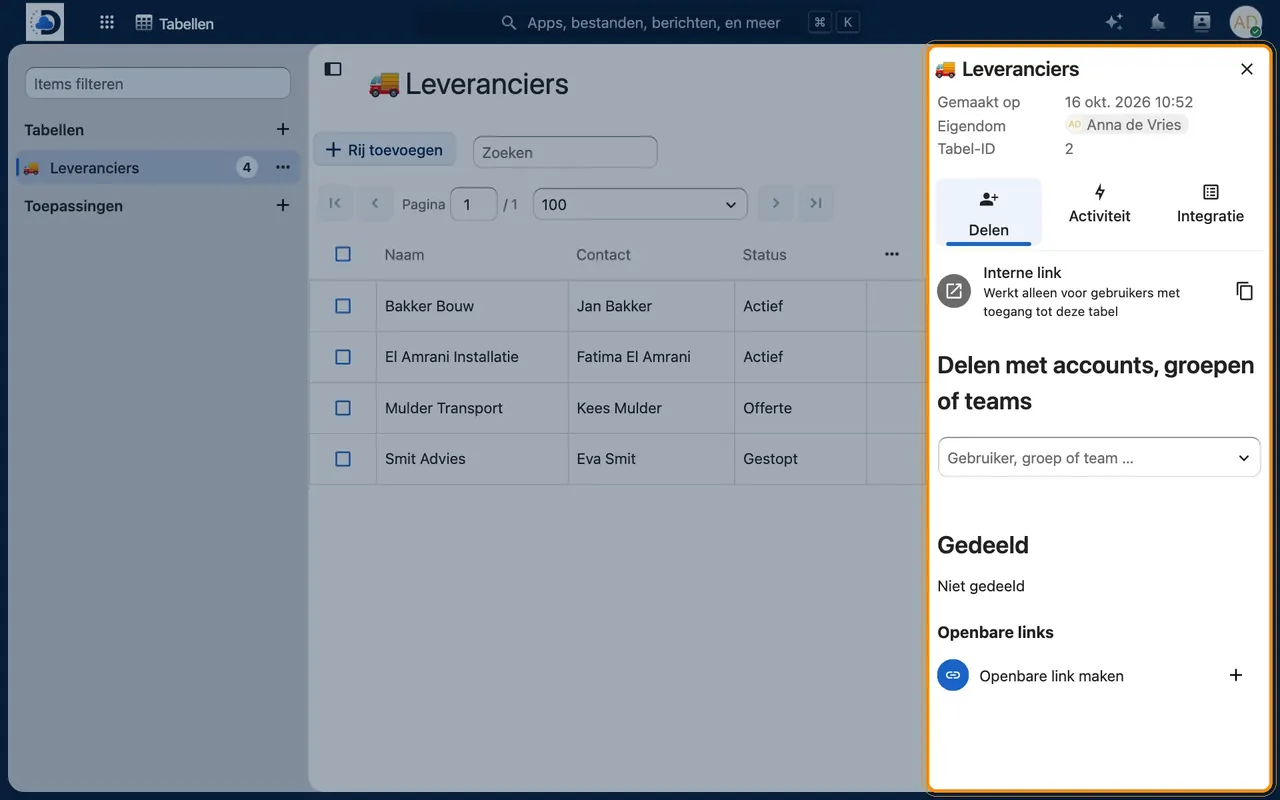
- Share the tableShare it with colleagues or a group via the sidebar.
Tips
- Use views to show only the relevant rows for each colleague.
- Combine Tables with Forms: let requests come in via a form and track their progress in a table.
Frequently asked questions
When should I choose Tables and when a spreadsheet?
Tables is useful for lists that multiple people maintain. For calculations and charts, a spreadsheet in Office is more practical.