Videos
 How it worksExplained step by step. For customers only.
What is Forms?
Forms is a simple form builder, similar to Google Forms or Microsoft Forms. You can create a survey, sign-up form, or questionnaire in just a few minutes, share the link, and view the responses clearly. The responses remain in your own environment.
What can you do with it?
- Question typesShort and long text, multiple choice, checkboxes, dropdown list, date, and more.
- Share via linkShare the form with anyone, only with colleagues, or via a public link.
- Anonymous responsesAllow forms to be filled in anonymously if needed.
- ResultsView responses as an overview or per submission, and export to a spreadsheet.
- DeadlineClose a form automatically on a specific date.
Getting started
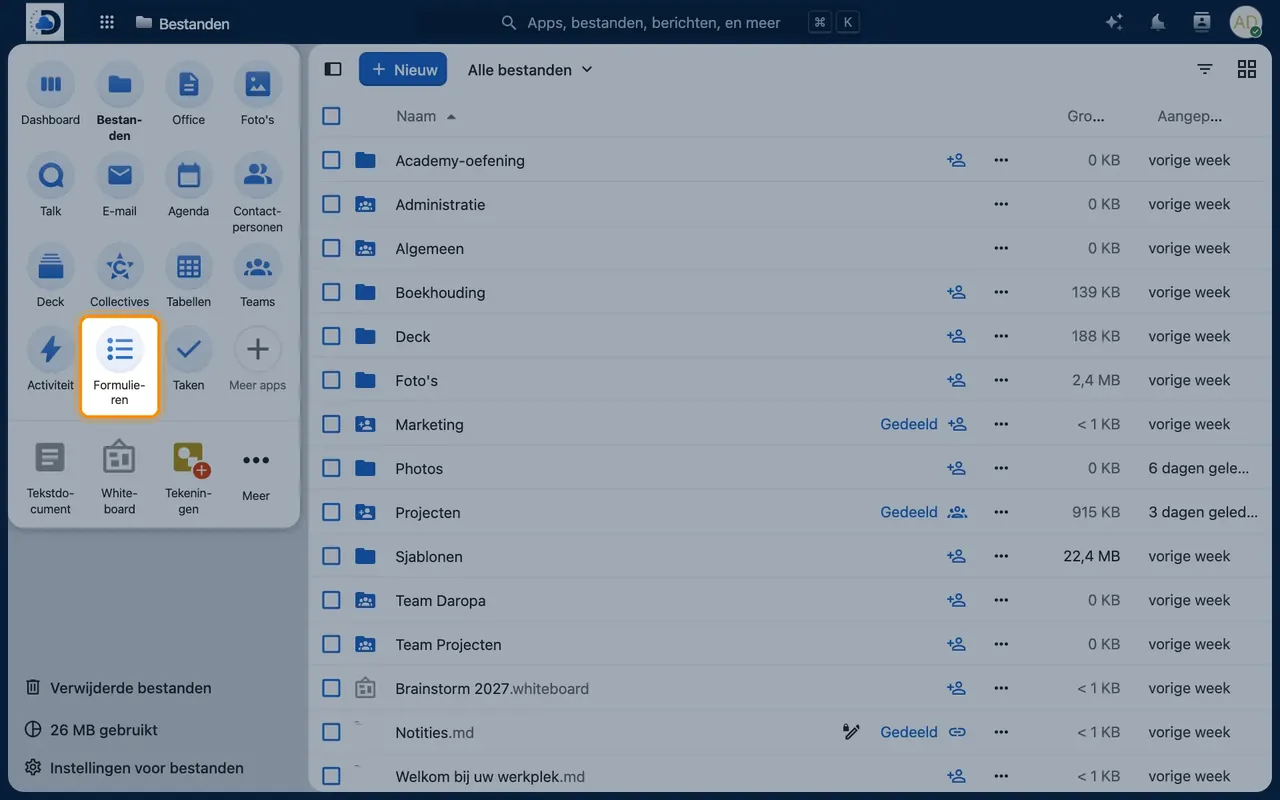
- Open FormsClick the Forms icon in the top bar.
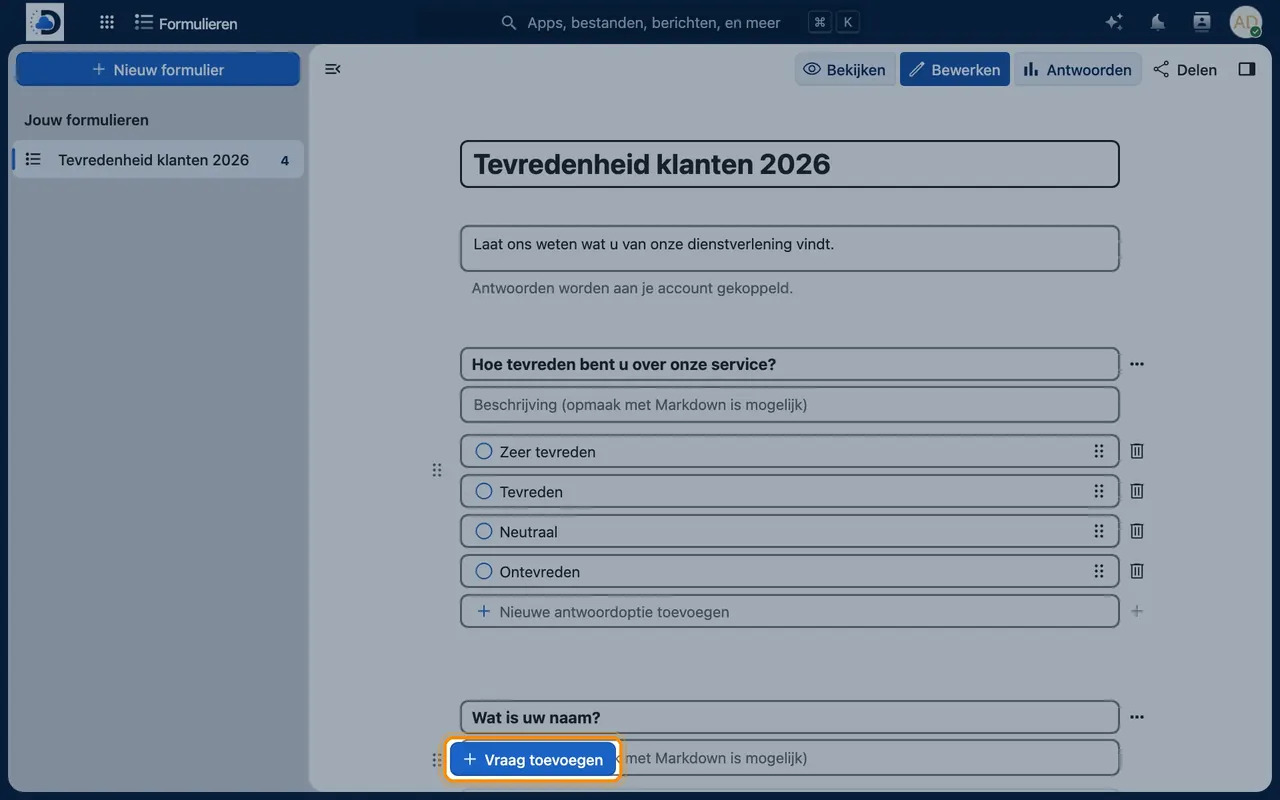
- Create a formClick “New form”, add a title, and include questions.
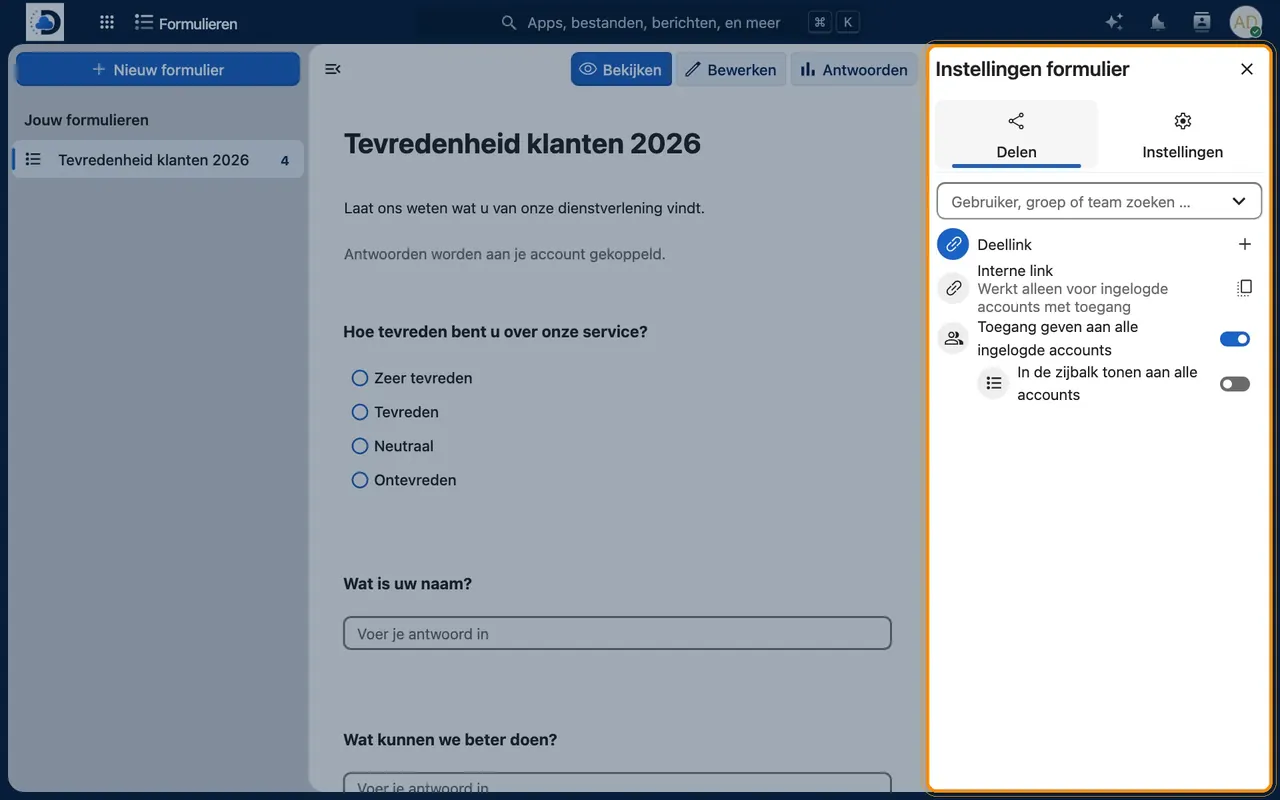
- Share the formCreate a shareable link and send it by email or post it on your website.
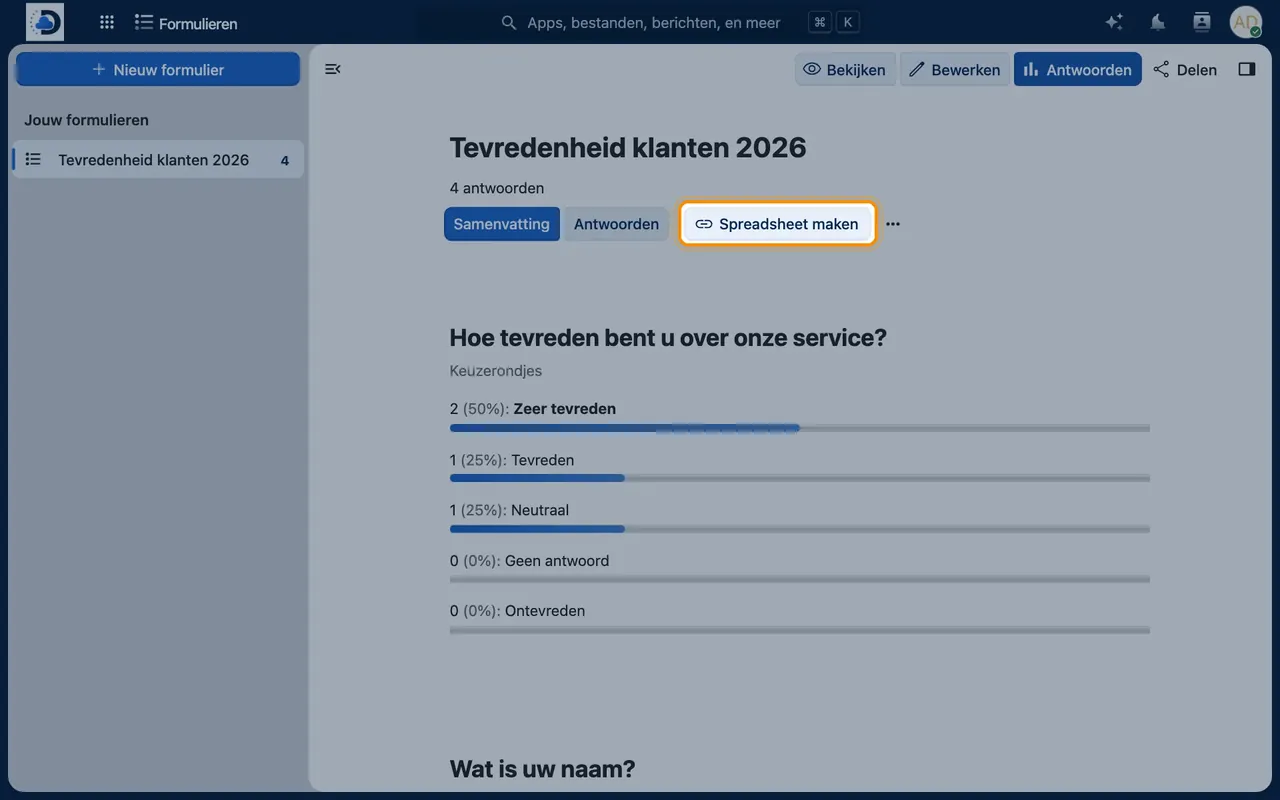
- View the resultsOpen the Results tab or export the responses to a spreadsheet.
Tips
- Use Forms for satisfaction surveys, event sign-ups, or internal polls.
- Export results to Files and open them with Office for further analysis.
Frequently asked questions
Is Forms suitable for personal data?
Yes, the responses remain in your own European environment. Only ask for what you really need.
Can people without an account fill in the form?
Yes, via a public link.