Videos
 How it worksExplained step by step. For customers only.
What is Collectives?
Collectives is a wiki for your team, similar to Confluence or Notion. You can document procedures, work instructions, agreements, and knowledge in clear pages that everyone on the team can read and contribute to.
What can you do with it?
- Pages and subpagesCreate a clear structure with chapters and subpages.
- Collaborative editingEdit pages with multiple people at the same time.
- FormattingHeadings, lists, tables, images, links, and checklists.
- TemplatesUse standard templates, for example for work instructions or minutes.
- SearchQuickly find the right page using the search function.
- Public sharingShare a collective or page with external parties via a link if needed.
Getting started
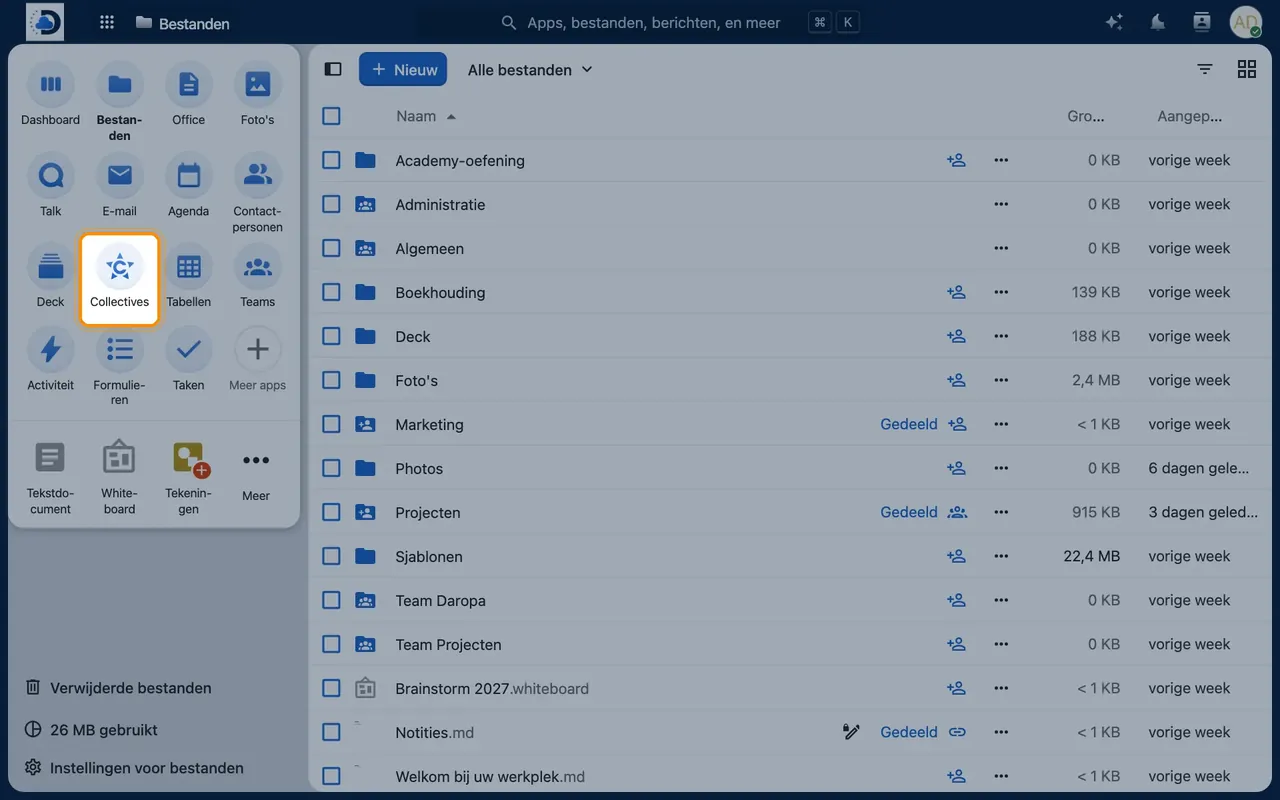
- Open CollectivesClick the Collectives icon in the top bar.
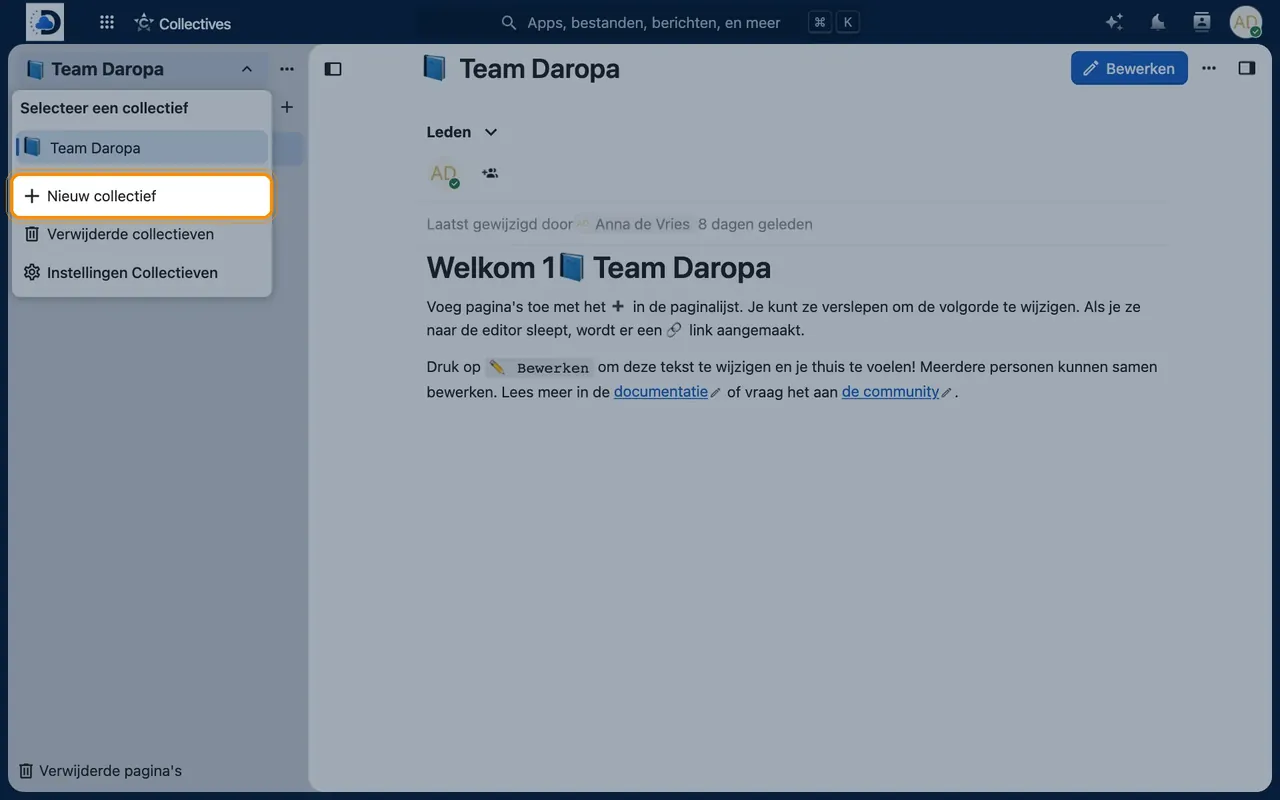
- Create a collectiveSelect “New collective”, give it a name and choose which team has access.
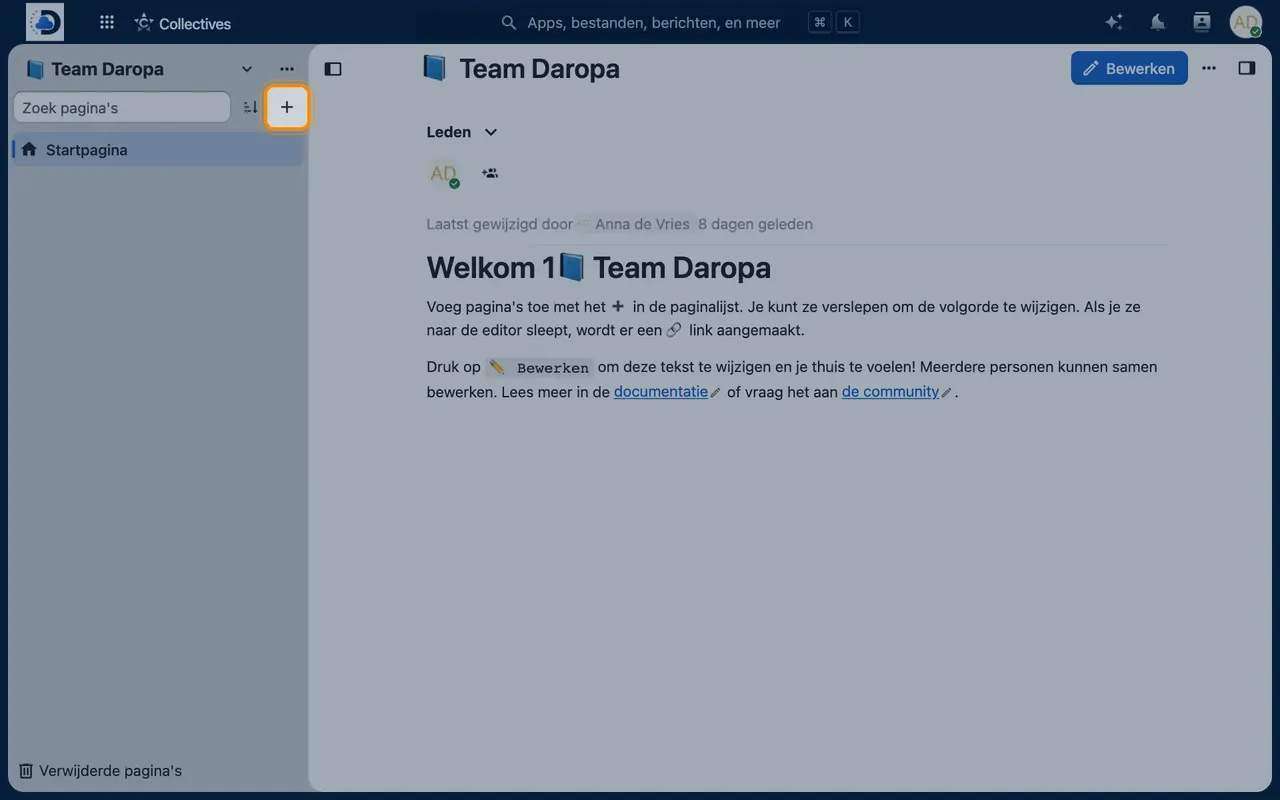
- Write your first pageAdd a page and start typing. Changes are saved automatically.
Tips
- Start with the questions new colleagues ask most often.
- Combine Collectives with Local RAG, so the AI can answer questions based on your own knowledge base.
Frequently asked questions
Who can edit pages?
All members of the collective. You can set permissions for each member to edit or view only.