Videos
 How it worksExplained step by step. For customers only.
What is Flow?
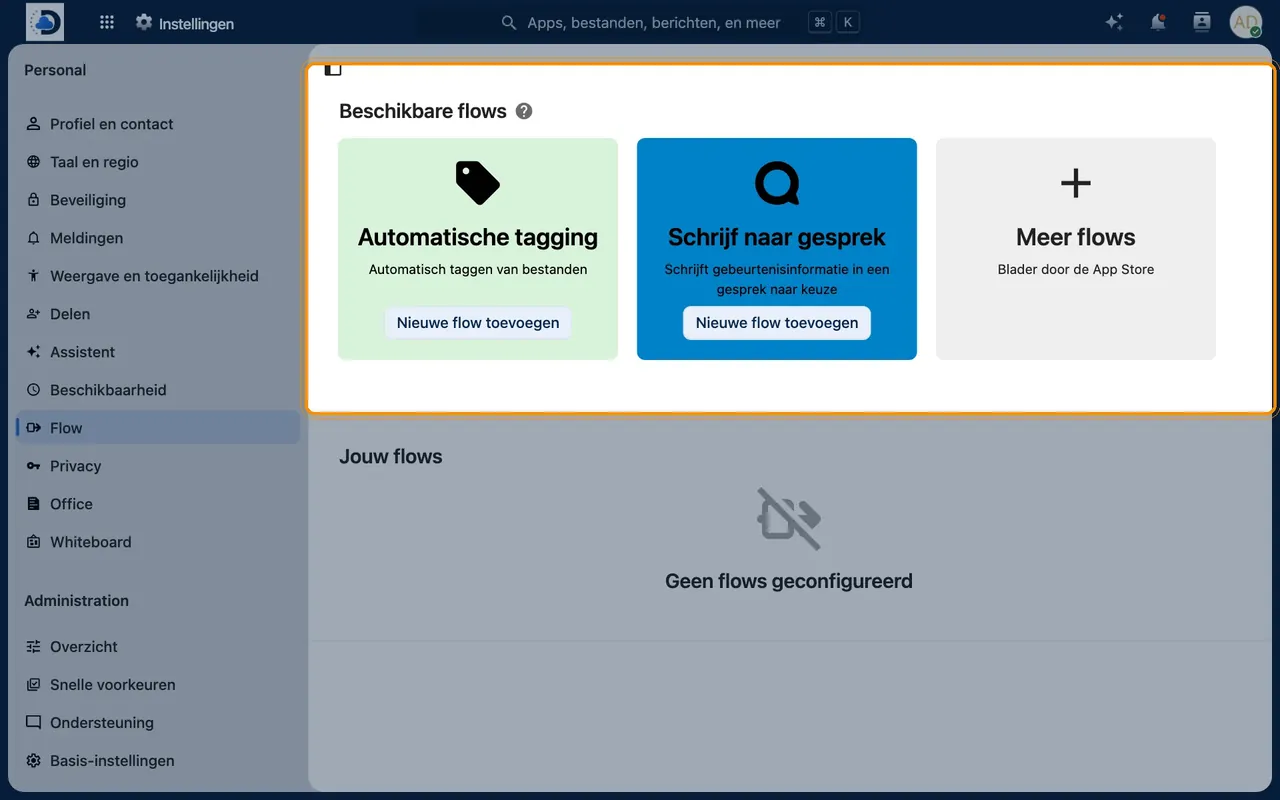
Flow automates recurring tasks using simple rules, similar to Power Automate. For example: automatically convert uploaded documents in a specific folder to PDF, automatically label invoices, or block access to confidential files outside office hours.
What can you do with it?
- If-then rulesSet what should happen when a file is uploaded, modified, or shared.
- Automatic labellingAutomatically tag files based on folder, type, or name.
- Convert to PDFAutomatically convert documents to PDF.
- Access rulesRestrict access to files with a specific tag, for example by time or network.
- NotificationsSend a notification to Talk when something changes in a specific folder.
Getting started
- Decide what you want to automateThink about tasks you repeat every week.
- Set up the ruleGo to Settings > Flow and create a new rule. We’re happy to help you with your first rules.
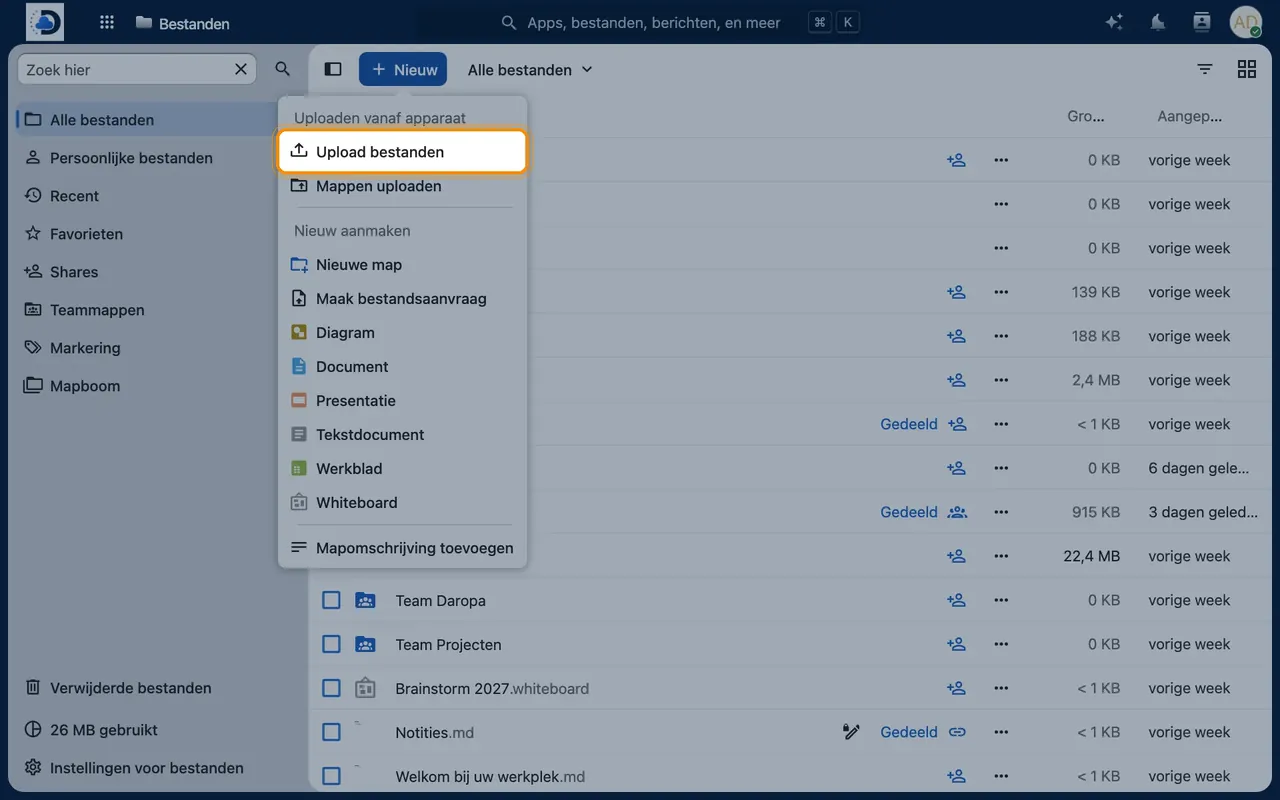
- Test the ruleUpload a test file and check if the rule does what you expect.
Tips
- Start small: one rule that saves a lot of time, such as automatically converting files to PDF.
- For more complex processes, such as approvals, we’re happy to think along with you.
Frequently asked questions
Do I need to know how to code?
No. You set up rules using dropdown menus. For advanced integrations, we’ll assist you.